Introduction to Electronics Projects Volume 24
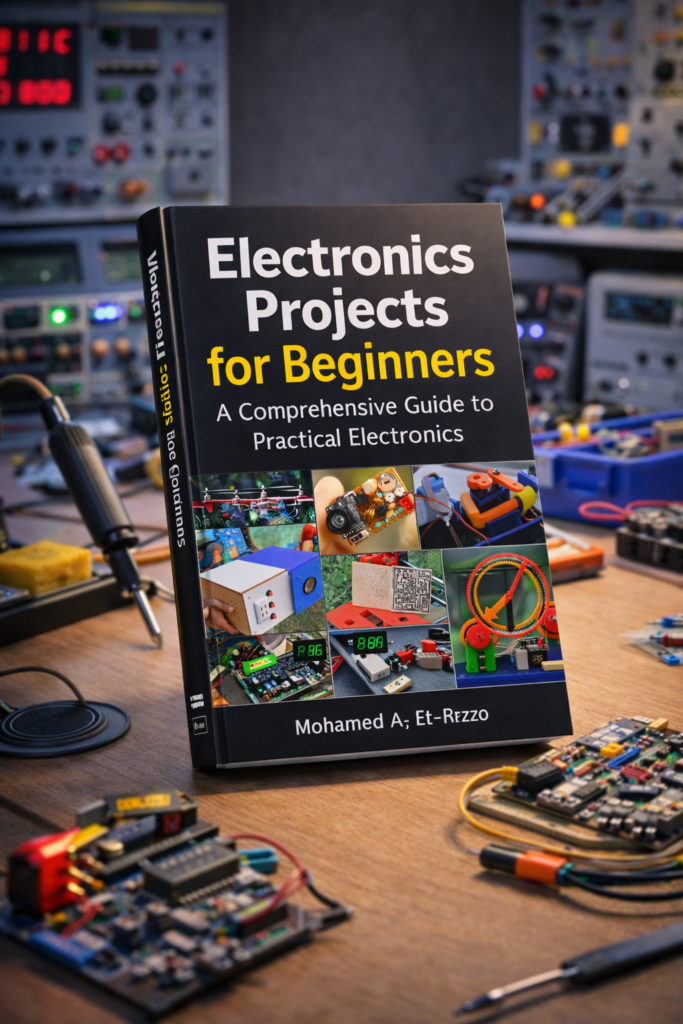
Electronics is more than a science—it’s a hands-on craft. Whether you’re a hobbyist, student, or professional engineer, practical experience is essential. That’s where Electronics Projects Volume 24, published by EFY Enterprises Pvt. Ltd., becomes invaluable. With 91 tested projects and circuit ideas, this volume offers a curated selection of real-world electronics applications that can be built, studied, and expanded upon.
From microcontroller automation to analog signal processing, the projects in this volume help bridge the gap between theory and application. Whether you’re building your first LED flasher or prototyping a remote-controlled automation system, this collection supports your growth as a maker and problem-solver.
Background of the EFY Project Series
A Legacy of Practical Learning
EFY Enterprises has been a cornerstone in electronics education since its inception. The “Electronics Projects” series, a spin-off of their flagship Electronics For You magazine, compiles some of the most engaging and tested projects for readers. These volumes are not just compilations—they’re learning paths, giving readers the opportunity to replicate and deeply understand real-world systems.
Volume 24 in Context
Volume 24 specifically features projects published in 2003. At first glance, that might seem dated, but many foundational concepts in electronics are timeless. Whether it’s using a transistor to amplify a signal or coding a microcontroller to read sensor data, the core knowledge remains relevant. And as technology becomes more accessible and modular (thanks to platforms like Arduino, Raspberry Pi, and ESP32), these older projects become easier to modernize and expand.
Key Highlights of Electronics Projects Volume 24
Diverse Range of Projects
1. Microcontroller-Based Projects
These projects often serve as an introduction to embedded systems design. You’ll find applications such as:
-
Digital Thermometers
-
Remote-Controlled Appliances
-
Timer Circuits
-
Security Systems with Keypad Inputs
While the original designs may use PIC microcontrollers, they can be adapted for Arduino or STM32 boards with minimal changes. This is a great way to understand the bare-metal operation of microcontrollers before relying on high-level libraries.
2. Analog Electronics
Analog circuits are the bedrock of electronics. Volume 24 explores topics such as:
-
Op-Amp Based Signal Amplifiers
-
Sound-Activated Switches
-
Light-Sensitive Circuits
-
Voltage Regulators and Power Supplies
These projects help readers learn how to manipulate voltage and current using passive and active components, often without the complexity of code.
3. Digital Logic and Interfacing
Understanding digital logic is critical for working with microcontrollers and designing custom circuits. The volume includes:
-
Counters and Timers using IC 555/4017
-
Logic Gate Applications
-
Flip-Flop Circuits
-
Simple Memory Interfaces
These projects demystify how computers make decisions and execute tasks, using simple, hands-on hardware implementations.
Practical Value of These Projects
Solving Everyday Problems
Rather than abstract academic exercises, the projects focus on things people actually want to build, like:
-
Automated lighting
-
Power fail alarms
-
Solar-powered devices
-
Battery chargers
-
Touch-activated switches
For makers looking to solve real-life issues—at home, in workshops, or small businesses—Volume 24 provides a toolkit that goes far beyond blinking LEDs.
Skill Development
Every project builds at least one key skill:
-
Schematic reading
-
Soldering and circuit assembly
-
Sensor calibration
-
Signal conditioning
-
Code optimization
In many ways, the projects serve as mini-courses—self-contained lessons in real-world electronics.
Deep Dive: Sample Projects
1. Home Automation Controller
This project explores how to control home appliances using a microcontroller and IR remote. The design uses opto-isolators and relays to safely switch AC appliances.
Real-World Uses:
-
Controlling fans, lights, and pumps
-
Creating timed automation (e.g., lights off after 10 mins)
-
Retrofitting old homes with modern convenience
2. Touch-Free Water Dispenser
Especially relevant in the post-pandemic world, this project uses infrared proximity sensors to dispense water without physical contact. It teaches interfacing sensors with actuators (like pumps) and optimizing for power consumption.
Extensions:
-
Add a temperature sensor for health safety
-
Use a solenoid valve for better flow control
3. Digital Clock with Alarm Function (Electronics Projects Volume 24)
An evergreen project that introduces timekeeping using RTC (Real Time Clock) modules and 7-segment displays. It covers multiplexing, debouncing switches, and simple interface design.
Add-On Ideas:
-
Bluetooth sync with smartphones
-
Battery backup using supercapacitors
Challenges Readers Might Face
Component Availability
While most components used in Volume 24 are still in circulation, a few ICs or discrete components may be hard to source, especially if they are discontinued.
Workaround Strategies:
-
Use online platforms (AliExpress, Amazon, DigiKey, LCSC)
-
Check for pin-compatible alternatives
-
Recreate the function using a modern microcontroller
Troubleshooting Complex Circuits
It’s common for beginners to face issues such as:
-
Incorrect connections
-
Dry solder joints
-
Incompatible parts
Tips for Troubleshooting:
-
Use a multimeter to check continuity and voltages
-
Follow the circuit in stages (power → input → output)
-
Compare actual readings with expected values
Case Study: From Concept to Working Product
Remote-Controlled IR Light Dimmer
This project shows how to control the brightness of a light using an infrared remote and a TRIAC. It involves:
-
Understanding phase control
-
Reading IR signals
-
Safe handling of AC components
Why It’s a Valuable Case Study:
-
Demonstrates how analog and digital systems interact
-
Involves safety precautions and real-world constraints
-
Encourages further exploration into smart lighting systems
How to Maximize Learning From Electronics Projects Volume 24
Document Your Progress
Keep a project notebook or digital log. Include:
-
Circuit diagrams (with annotations)
-
Photos of breadboard and final builds
-
Problems encountered and how you solved them
-
Links to updated components or libraries
Reverse Engineer
Take the finished project and try to understand it without looking at the explanation. Sketch out your own block diagram and see if you can redesign or improve it.
Adapt and Expand
Try these tweaks:
-
Convert a wired project to wireless using ESP8266
-
Replace hardcoded delays with sensor-based logic
-
Integrate data logging using SD cards
This not only tests your understanding but also makes your project more functional.
Expanding the Relevance of Electronics Projects Volume 24 Today
Even though the volume was compiled in 2003, its value today is undeniable. Here’s why:
-
Educational Institutions: Many colleges still use discrete circuit projects for foundational learning.
-
IoT Integration: The basic control systems described in the volume are easily adaptable for IoT projects.
-
STEM Education: The volume’s structured, project-based learning aligns with modern STEM curriculums.
-
Repair and Maintenance Training: The analog skills taught can be applied in fields like appliance repair and power electronics.
FAQs About Electronics Projects Volume 24
-
Q: What skill level is this volume aimed at?
- A: “Electronics Projects Volume 24” is designed for a range of skill levels, from beginners with some basic electronics knowledge to more experienced hobbyists. Individual projects will have their own skill level indicators. Look for symbols or descriptions (e.g., “Beginner,” “Intermediate,” “Advanced”) at the start of each project.
-
Q: What types of projects are included in this volume?
- A: This volume covers a diverse range of electronics projects, including [This list will be limited by my general knowledge. A real book will be more specific, but here are some likely examples] simple circuits, audio amplifiers, digital logic projects, sensor-based projects, microcontroller-based projects (likely using Arduino or similar platforms), power supply projects, and communication projects.
-
Q: Are there any projects that require specialized equipment, like a logic analyzer or oscilloscope?
- A: While some advanced projects might benefit from specialized equipment for troubleshooting or analysis, most projects are designed to be built and tested with basic tools like a multimeter, soldering iron, and breadboard. Projects requiring more advanced equipment will be clearly marked.
-
Q: Do I need prior experience with microcontrollers to complete the microcontroller projects?
- A: Some introductory microcontroller projects will be suitable for beginners. These projects will typically include step-by-step instructions and example code. However, familiarity with basic programming concepts and electronics fundamentals is helpful. More complex projects will assume a higher level of experience.
-
Q: Are there any updates or corrections to the projects in this volume?
- A: It’s always a good idea to check the publisher’s website or online forums for any errata or updates to the projects. Electronics can be tricky, and sometimes errors slip through the initial publication.
Questions About Individual Projects
-
Q: Where can I find the parts list for project X?
- A: The parts list for each project is typically included at the beginning of the project description. It will list all the necessary components, their values, and any specific requirements (e.g., tolerance, wattage rating).
-
Q: What is the purpose of resistor R1 in project Y?
- A: (This is a project-specific question. You would need to refer to the project’s schematic and description to determine the function of R1.) Generally, resistors can be used for current limiting, voltage division, pull-up/pull-down biasing, or impedance matching. Consult the project’s documentation for the specific reason.
-
Q: How do I troubleshoot project Z if it’s not working?
- A: (Troubleshooting advice would depend on the specific project). Common troubleshooting steps include:
- Verify the power supply: Ensure the correct voltage is being supplied to the circuit.
- Check your wiring: Double-check all connections for errors or shorts.
- Inspect components: Look for any obvious signs of damage or overheating.
- Use a multimeter: Measure voltages and resistances at key points in the circuit to identify any deviations from the expected values.
- Review the code (for microcontroller projects): Check for syntax errors or logic errors in the code.
- Consult online forums: Search online forums or electronics communities for similar problems and solutions.
- A: (Troubleshooting advice would depend on the specific project). Common troubleshooting steps include:
-
Q: Can I modify project X to do specific task?
- A: (Modification advice is project-specific). Modifying a project can be a great learning experience, but it also requires careful consideration. Consider the following:
- Understand the original circuit: Make sure you understand how the circuit works before attempting to modify it.
- Research the changes you want to make: Find out what components or modifications are needed to achieve your desired result.
- Start small: Make small changes and test them thoroughly before making more significant modifications.
- Be aware of potential risks: Modifying a circuit can damage components or create safety hazards if not done correctly.
- A: (Modification advice is project-specific). Modifying a project can be a great learning experience, but it also requires careful consideration. Consider the following:
-
Q: What are the safety precautions I should take when working on these projects?
- A: Safety is paramount! Always take the following precautions:
- Work in a well-lit and ventilated area.
- Wear safety glasses to protect your eyes.
- Use a soldering iron stand to prevent burns.
- Be careful when working with mains voltage (if applicable). Disconnect the power supply before making any changes to the circuit.
- Dispose of electronic waste properly.
- If you are not comfortable working with electricity, seek help from a qualified professional.
- A: Safety is paramount! Always take the following precautions:
Important Considerations Since it’s 2025:
- Component Availability: Some components mentioned in older volumes might be obsolete or difficult to find. Be prepared to research alternative components with similar specifications. Online electronics retailers like Digi-Key, Mouser, and Adafruit are excellent resources.
- Microcontroller Versions: If the book includes Arduino or similar microcontroller projects, be aware that newer versions of the development environment (IDE) and libraries may be available. Code examples may need slight modifications to work with the latest versions.
Conclusion: Why Volume 24 Still Matters
Electronics Projects Volume 24 stands as both a historical document and a living resource. While the technologies it references may predate current platforms like Raspberry Pi or ESP32, the concepts, principles, and educational value remain just as relevant today.
For the self-learner, this volume is a launchpad into the world of embedded systems, analog design, and real-world problem solving. For educators, it offers tested, classroom-friendly builds professionals, it provides ideas for rapid prototyping or even commercial products.