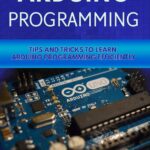
Arduino Project Handbook Volume 2: Advanced Arduino Projects, Practical Electronics & Programming Guide
Introduction


The Arduino Project Handbook Volume 2 represents the next stage of practical learning for students, hobbyists, engineers, makers, and professionals who want to move beyond basic LED and button experiments. Arduino provides an accessible bridge between software and physical electronics, allowing a small program to interact with sensors, motors, displays, communication modules, and many other devices.
For beginners, project-based learning makes electronics less intimidating. Instead of studying programming commands or circuit theory in isolation, learners can immediately observe what happens when code interacts with hardware. For experienced users, Arduino projects provide a rapid prototyping platform for testing ideas before developing more sophisticated embedded systems.
Volume 2 can therefore be viewed as a practical progression: 🔌 connect → program → measure → control → communicate → improve.
Whether you are studying engineering in the USA, UK, Canada, Australia, or Europe, the same fundamental principles apply. The difference between a simple classroom experiment and a reliable engineering prototype is usually found in planning, circuit protection, software structure, testing, and documentation.
This article presents the core concepts behind an advanced Arduino project approach without reproducing copyrighted material from any particular handbook.
Background Theory
Arduino is based on the concept of a programmable microcontroller system. A microcontroller combines processing, memory, input/output interfaces, and timing capabilities within a compact electronic device.


A typical project contains several layers:
- Power layer – supplies electrical energy to the circuit.
- Input layer – collects information from sensors, switches, or communication devices.
- Processing layer – executes the Arduino program.
- Output layer – controls LEDs, displays, motors, relays, buzzers, or other devices.
- Communication layer – exchanges information with computers, networks, or other controllers.
This creates a simple engineering chain:
Physical environment → Sensor → Arduino → Program logic → Output device
For example, a temperature monitoring system can detect environmental conditions through a sensor, process the reading, and present the information on a display.
The important lesson is that Arduino is not simply a programming board. It is an embedded control platform where hardware and software must operate together.
Definition
What Is an Arduino Project?
An Arduino project is an electronic system in which an Arduino-compatible microcontroller executes software to monitor inputs and control outputs.
A project may be extremely simple, such as a button controlling an LED, or considerably more sophisticated, such as an automated environmental monitoring station.
What Does “Volume 2” Represent?
The second volume of a project-oriented Arduino learning path generally implies progression toward more complex systems.
These projects may introduce:
- Multiple sensors
- Motors and servos
- LCD and OLED displays
- Keypads
- Relays
- Wireless communication
- Data logging
- Serial communication
- Automation
- Structured programming
- Error handling
- Prototype development
The emphasis changes from “Can I make it work?” to “Can I design it correctly and reliably?” ⚙️
Arduino as an Engineering Platform
Arduino is particularly valuable during prototyping because engineers can quickly modify hardware and software.
A prototype can be assembled, tested, changed, and tested again without manufacturing a custom circuit board for every experiment.
Step-by-Step Arduino Project Development


Step 1: Define the Objective
Start by describing exactly what the project should accomplish.
Instead of saying:
“I want to build something with Arduino.”
define a measurable objective such as:
“The system should detect motion and activate an indicator.”
A clear objective determines which components and programming techniques are required.
Step 2: Identify Inputs
Determine how the Arduino will obtain information.
Possible inputs include:
- Push buttons
- Temperature sensors
- Light sensors
- Motion detectors
- Distance sensors
- Potentiometers
- Keypads
- Encoders
- Communication modules
Step 3: Select Outputs
Next, determine how the system will respond.
Common outputs include:
- LEDs 💡
- Buzzers 🔊
- Servo motors
- DC motors
- Stepper motors
- LCD displays
- OLED displays
- Relays
- RGB lighting
Step 4: Design the Circuit
Create the circuit before connecting everything randomly.
Check:
- Power connections
- Ground connections
- Signal connections
- Component orientation
- Required libraries
- Voltage compatibility
- Current requirements
Step 5: Develop the Program
Arduino programs normally contain initialization and repeated operating logic.
The initialization stage prepares hardware, while the repeating section continuously monitors inputs and produces appropriate responses.
Step 6: Test One Function at a Time
Do not connect ten components and immediately run the complete program.
Test the:
- Power system
- Sensor
- Output device
- Communication
- Main control logic
This makes troubleshooting dramatically easier.
Step 7: Improve the Prototype
Once the system works, evaluate:
- Reliability
- Response time
- Power consumption
- Wiring quality
- Software organization
- Safety
- Physical enclosure
- User experience
This final stage transforms an experiment into a more professional prototype.
Comparison
Beginner Arduino Projects vs Advanced Projects
| Feature | Beginner Projects | Advanced Projects |
|---|---|---|
| Hardware | Single components | Multiple integrated modules |
| Programming | Basic commands | Structured software |
| Inputs | Button or simple sensor | Multiple sensors and communication |
| Outputs | LED/buzzer | Motors, displays, relays |
| Troubleshooting | Basic wiring checks | Hardware/software diagnosis |
| Documentation | Simple notes | Schematics, diagrams, test records |
| Reliability | Experimental | Designed for repeatable operation |
| Application | Learning | Prototyping and automation |
Arduino vs Traditional Embedded Development
Arduino simplifies the early stages of embedded development by providing accessible development boards, libraries, programming environments, and a large ecosystem of compatible modules.
Traditional embedded development can provide greater control over hardware resources, memory, timing, power consumption, and production optimization.
For learning and rapid prototyping, Arduino is extremely practical. For mass-produced commercial equipment, engineers may eventually migrate to a custom microcontroller platform.
Diagrams and System Architecture


A useful conceptual diagram for an Arduino system is:
INPUTS → ARDUINO CONTROLLER → PROGRAM LOGIC → OUTPUTS
A more advanced system can be represented as:
Sensors → Signal Processing → Arduino → Decision Logic → Actuators
with an additional communication path:
Arduino ↔ Computer / Network / Wireless Module
| System Component | Typical Function |
|---|---|
| Microcontroller | Executes the control program |
| Sensor | Detects environmental conditions |
| Display | Presents information |
| Motor | Produces mechanical movement |
| Relay | Controls external electrical equipment |
| Communication module | Exchanges data |
| Power supply | Provides electrical energy |
| Breadboard/PCB | Provides electrical connections |
The architecture is scalable. A small educational project can use only one sensor and one output, while an industrial prototype can contain many interconnected modules.
Practical Examples
Automatic Lighting System
A light sensor can detect whether an environment is bright or dark.
The Arduino reads the sensor and determines whether lighting should be activated. An LED can represent the light initially, while a suitable switching device could control a larger lighting system in a properly engineered installation.
Smart Parking Prototype
A distance sensor can detect whether a parking space is occupied.
The Arduino can process the sensor information and show the status using LEDs or a display.
A more advanced version could transmit parking information to another system.
Temperature Monitoring Station
A temperature sensor provides environmental information to the Arduino.
The system can display the current condition and activate an indicator when the environment reaches a predefined threshold.
Adding data logging can turn the prototype into a basic monitoring station.
Automatic Plant Monitoring
Sensors can be used to monitor environmental conditions around a plant.
Arduino can evaluate sensor readings and activate an indicator or suitable control mechanism when attention is required.
This project demonstrates the relationship between measurement, decision-making, and automation.
Real-World Applications
Arduino-based prototyping has applications across numerous engineering areas.
Education
Universities, colleges, schools, and technical training programs can use Arduino to teach:
- Electronics
- Programming
- Control systems
- Robotics
- Embedded systems
- Instrumentation
Robotics
Arduino can serve as a controller for experimental robots involving:
- Motors
- Encoders
- Distance sensors
- Servo mechanisms
- Communication modules
Industrial Prototyping
Engineers can use Arduino-based systems to demonstrate automation concepts before developing production hardware.
Environmental Monitoring
Arduino prototypes can collect information about environmental conditions and present it locally or transmit it to another system.
Home Automation
Projects can demonstrate automated lighting, monitoring, access control, and environmental management.
⚠️ For mains-voltage applications, however, appropriate isolation, protection, certified components, and professional electrical practices are essential.
Common Mistakes
Incorrect Power Connections
One of the most common mistakes is connecting components to the wrong supply or forgetting the common ground requirement.
Always verify the electrical requirements of every module.
Overloading Arduino Pins
A microcontroller pin should not automatically be treated as a power source for motors, high-current devices, or other demanding loads.
Use appropriate driver circuits when necessary.
Poor Breadboard Wiring
Long, confusing wires make troubleshooting difficult.
Keep related connections organized and use consistent wiring practices.
Changing Everything at Once
If a project stops working after several modifications, identifying the cause becomes difficult.
Change one major variable at a time.
Ignoring Software Structure
A program can work while still being poorly organized.
Use meaningful variable names, functions, comments, and logical sections.
Forgetting Electrical Compatibility
Not every module operates at the same voltage level.
Always verify compatibility before connecting unfamiliar hardware.
Challenges and Solutions
Challenge: Unstable Sensor Readings
Solution: Check wiring, power stability, sensor placement, software filtering, and environmental interference.
Challenge: Motor Interference
Motors can introduce electrical noise and power disturbances.
Solution: Separate motor power from sensitive electronics where appropriate and use suitable driver and protection circuits.
Challenge: Program Becomes Difficult to Manage
Large programs can become confusing when everything is placed in one repeating routine.
Solution: Divide functionality into logical functions and modules.
Challenge: Communication Failures
Serial or wireless communication may fail because of incorrect connections, incompatible settings, interference, or software errors.
Solution: Test communication independently before integrating it into the complete project.
Challenge: Prototype Works but Is Not Reliable
A breadboard prototype may work on a laboratory desk but fail when moved or operated continuously.
Solution: Improve connections, power management, enclosure design, environmental protection, and testing procedures.
Case Study: Automated Room Monitoring Prototype
Consider a hypothetical engineering student developing an automated room-monitoring prototype.
Project Objective
The objective is to monitor environmental conditions and provide visual feedback.
Hardware Concept
The prototype contains:
- Arduino-compatible controller
- Environmental sensor
- Display
- Indicator LEDs
- User input button
- Stable power source
Development Process
The student first tests the display independently.
Next, the environmental sensor is connected and tested.
The sensor information is then integrated with the display.
Finally, the button is programmed to allow the user to change between monitoring modes.
Engineering Improvements
After the prototype works, the student notices that the readings occasionally fluctuate.
Instead of modifying the entire project, the student investigates the sensor independently, examines power stability, checks wiring, and evaluates software processing.
This illustrates an important engineering principle:
Build → Test → Measure → Diagnose → Improve → Repeat. 🔄
The resulting project becomes more than an Arduino exercise. It becomes a practical demonstration of engineering methodology.
Essential Tips
Plan Before Wiring
A few minutes of planning can prevent hours of troubleshooting.
Start Small
Build the simplest functional version first.
Then add features progressively.
Keep Documentation
Record:
- Component names
- Wiring
- Software versions
- Libraries
- Test results
- Problems discovered
- Solutions implemented
Protect the Hardware
Avoid accidental short circuits and verify power connections before energizing the system.
Learn the Datasheet
When working with unfamiliar sensors or modules, the manufacturer’s technical documentation should be treated as an important engineering reference.
Separate Hardware and Software Problems
If a sensor does not work, determine whether the problem is electrical or programming-related before changing both simultaneously.
Think Like an Engineer
A successful prototype is not merely one that works once.
A stronger prototype is:
Reliable + understandable + testable + maintainable + safe.
FAQs
What is Arduino Project Handbook Volume 2 about?
It represents an advanced, project-oriented approach to Arduino development, focusing on combining programming, electronics, sensors, displays, motors, communication, and automation.
Is Arduino Project Handbook Volume 2 suitable for beginners?
Yes. Beginners can learn through individual projects, while experienced learners can use the same concepts to develop more sophisticated prototypes.
Do I need programming experience?
Basic programming knowledge is helpful but not mandatory. Arduino projects can progressively introduce programming concepts through practical experimentation.
What components are commonly used with advanced Arduino projects?
Common components include sensors, displays, motors, servos, relays, buttons, communication modules, LEDs, buzzers, and data-storage devices.
Can Arduino be used for professional engineering projects?
Arduino is highly useful for education, experimentation, proof-of-concept development, and rapid prototyping. Production systems may require a different hardware architecture depending on reliability, certification, cost, security, and manufacturing requirements.
Why do Arduino projects sometimes behave unpredictably?
Possible causes include unstable power, incorrect wiring, electrical interference, software errors, unsuitable component connections, timing problems, or insufficient testing.
How can I make an Arduino project more reliable?
Use stable power, appropriate driver circuits, organized wiring, structured software, proper component selection, systematic testing, and clear documentation.
Is Arduino useful for engineering students?
Absolutely. It provides practical exposure to embedded programming, sensors, control systems, electronics, automation, and hardware/software integration.
Conclusion
Arduino Project Handbook Volume 2 can be approached as a progression from basic experimentation toward more structured embedded-system development. The greatest value of Arduino is not simply learning how to switch an LED on or read a sensor. Its real educational value comes from understanding how hardware, software, signals, power, control logic, and physical systems interact.
For students, Arduino provides an accessible way to transform theoretical concepts into working prototypes. For professionals, it offers a convenient platform for rapid experimentation and proof-of-concept development.
The most effective learning strategy is incremental:
Understand → Build → Test → Troubleshoot → Document → Improve. ⚡
Once this workflow becomes familiar, increasingly sophisticated projects become much easier to approach. From robotics and environmental monitoring to automation and interactive systems, Arduino can serve as a practical foundation for exploring the engineering principles behind modern embedded technology.