
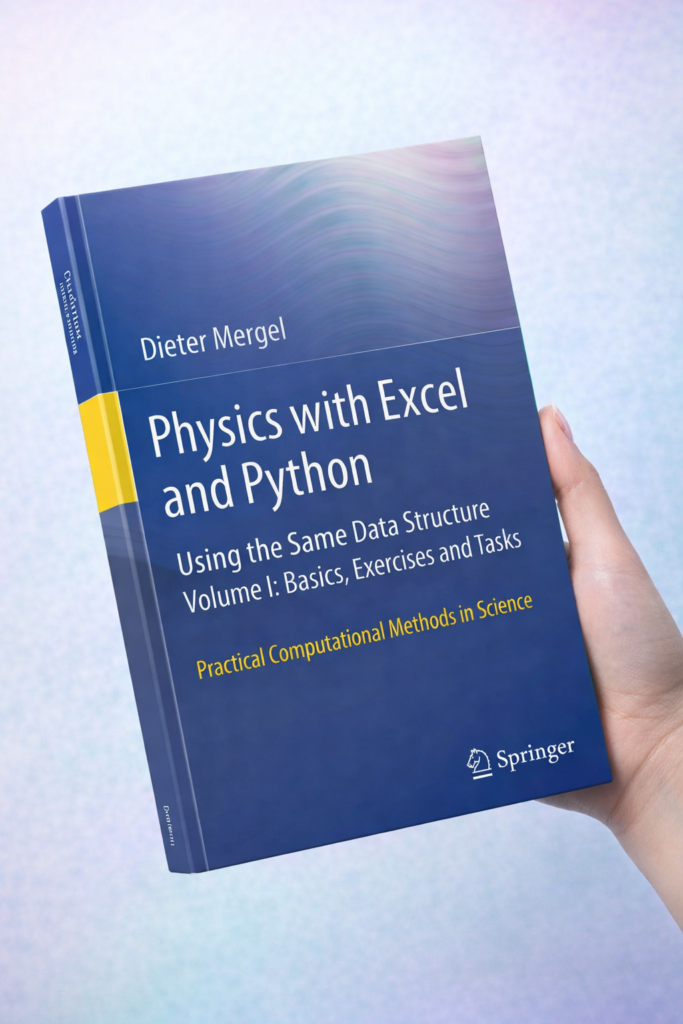
Physics with Excel and Python: Using the Same Data Structure Volume I: Basics, Exercises and Tasks
Introduction
Physics is the foundation of engineering, providing the principles that govern motion, energy, and forces. With the rise of computational tools, engineers and students no longer rely solely on manual calculations. Tools like Microsoft Excel and Python allow for dynamic simulations, data analysis, and visualization.
This article explores how to use Excel and Python together using the same data structure to solve physics problems. It covers basics, exercises, tasks, real-world applications, common mistakes, challenges, and practical tips for engineers. By the end of this article, you will be able to efficiently use these tools to enhance your problem-solving skills in physics and engineering.
Background Theory
Understanding the integration of Excel and Python requires a grasp of both data structures and physical concepts.
Data Structures in Physics Computation
A data structure is a method of organizing and storing data for efficient access and modification. Common types include:
Arrays/Lists: Ordered collections of values.
Tables/Spreadsheets: Rows and columns (Excel sheets) for organizing data.
Dictionaries/Objects: Key-value pairs for storing specific parameters.
In physics problems, data structures help in representing:
Position, velocity, and acceleration of particles
Experimental measurements
Calculated results for multiple time steps
Physics Concepts Covered
The following physics principles can be analyzed with Excel and Python:
Kinematics: Motion of objects (velocity, acceleration, displacement)
Dynamics: Forces and Newton’s Laws
Energy and Work: Kinetic and potential energy calculations
Oscillations: Harmonic motion
Projectile Motion: Trajectory and velocity analysis
By combining Excel and Python, these concepts can be simulated, visualized, and analyzed efficiently.
Technical Definition
Physics computation using Excel and Python involves:
Creating a consistent data structure for storing variables
Using Excel formulas and Python scripts to perform calculations
Comparing, validating, and visualizing results in both environments
Key benefits:
Consistency: Same data structure ensures results are comparable.
Efficiency: Excel is excellent for quick calculations; Python is better for automation and advanced modeling.
Visualization: Python libraries like Matplotlib complement Excel charts.
Step-by-Step Explanation
Here’s how you can integrate physics computations between Excel and Python:
Step 1 — Define Your Problem
Suppose you want to simulate projectile motion. The problem requires:
Initial velocity (
v0)Angle of projection (
θ)Time steps (
t)Gravitational acceleration (
g = 9.81 m/s²)
Step 2 — Create a Data Structure
In Excel:
| Time (s) | X Position (m) | Y Position (m) | Velocity X (m/s) | Velocity Y (m/s) |
|---|---|---|---|---|
| 0 | 0 | 0 | 10 | 10 |
In Python:
Step 3 — Perform Calculations
Excel: Use formulas like
=v0*COS(RADIANS(angle))*timefor X and=v0*SIN(RADIANS(angle))*time - 0.5*g*time^2for Y.Python: Use NumPy for vectorized operations as shown above.
Step 4 — Visualize Results
Excel: Insert a scatter plot or line chart for X vs. Y.
Python: Use Matplotlib:
Step 5 — Compare and Validate
Check that maximum height, time of flight, and range match analytical formulas:
Hmax=v02sin2θ/2g
R=v02sin2θ/g
Detailed Examples
Example 1 — Harmonic Oscillator
Problem: A mass-spring system with mass m = 1 kg and spring constant k = 100 N/m.
Equation: x(t)=Acos(ωt+ϕ)
Angular frequency: ω=k/m
Python Implementation:
Excel: Use =A*COS(omega*time + phi) in cells and drag down for time steps.
Example 2 — Data from Real Experiment
Suppose you measure the velocity of a cart every 0.1 seconds:
| Time (s) | Velocity (m/s) |
|---|---|
| 0 | 0 |
| 0.1 | 1.2 |
| 0.2 | 2.3 |
Excel: Use formulas to compute displacement with
=Previous_X + Velocity*Δt.Python:
Real World Application in Modern Projects
Application 1 — Engineering Simulations
Civil engineers simulate bridge vibrations.
Mechanical engineers analyze robot arm motion.
Aerospace engineers compute projectile paths and satellite trajectories.
Application 2 — Research and Experimentation
Physics labs collect experimental data.
Excel is used for quick calculations.
Python allows advanced simulations, fitting curves, and statistical analysis.
Application 3 — Educational Tools
Teachers create interactive physics problems.
Students use Python notebooks while maintaining Excel sheets as reference.
Common Mistakes
Mismatched Units: Mixing meters with centimeters can cause errors.
Incorrect Formulas: Using linear formulas for non-linear systems.
Ignoring Time Step Size: Too large Δt can cause inaccurate results.
Not Synchronizing Excel and Python: Ensure the same initial values and formulas.
Overlooking Vector Directions: Physics problems often require careful vector treatment.
Challenges & Solutions
| Challenge | Solution |
|---|---|
| Handling large datasets in Excel | Use Python for automation |
| Version mismatch between Python libraries | Use virtual environments |
| Debugging formula errors in Excel | Use conditional formatting to highlight mistakes |
| Visualization limitations in Excel | Use Python Matplotlib or Seaborn for advanced plots |
| Ensuring data integrity across platforms | Export CSV files from Excel and read in Python |
Case Study: Projectile Motion Experiment
Scenario: Measuring the motion of a ball thrown at 30° with 15 m/s velocity.
Process:
Record experimental positions every 0.1s in Excel.
Use Python to simulate theoretical motion.
Compare results and calculate errors:
Error=∣Xexp−Xsim∣/ Xsim ×100%
Result: The average error was 2.5%, showing high consistency between Excel and Python approaches.
Tips for Engineers
Keep consistent units in all calculations.
Always validate Python scripts with a few manual calculations.
Use comments in Python and Excel to explain formulas.
Modularize Python code into functions for reuse.
Utilize Excel charts for quick insights and Python for advanced visualization.
FAQs
Q1: Can I use Excel and Python interchangeably?
A1: Yes, if you maintain the same data structure and formulas.
Q2: Which is better for large datasets?
A2: Python is more efficient for large datasets; Excel is limited by rows (~1 million max).
Q3: Do I need advanced Python knowledge?
A3: Basic Python with NumPy and Pandas is enough for most physics computations.
Q4: Can I automate Excel calculations with Python?
A4: Yes, libraries like openpyxl or pandas allow reading/writing Excel files.
Q5: How do I avoid unit errors?
A5: Standardize all units at the start (e.g., SI units) and document them clearly.
Q6: Can I visualize 3D motion?
A6: Yes, Python’s Matplotlib and Plotly allow 3D plotting.
Q7: How do I validate experimental data?
A7: Compare Excel data with Python simulations and calculate percentage errors.
Q8: Is this approach suitable for students?
A8: Absolutely; it teaches both computational thinking and physics fundamentals.
Conclusion
Integrating Physics with Excel and Python using the same data structure enables students and engineers to solve problems more efficiently, analyze data accurately, and visualize results effectively. Excel is excellent for quick calculations and visualization, while Python provides automation, flexibility, and advanced modeling capabilities.
By following consistent data structures, validating results, and leveraging both platforms, engineers can tackle complex physics tasks, simulate real-world systems, and enhance their computational skills—essential for modern engineering practice.




