
The Python Workbook 2nd Edition: A Brief Introduction with Exercises and Solutions — A Practical Engineering Guide
Introduction 🐍💻
Python has become one of the most useful programming languages across modern engineering, science, automation, data analysis, artificial intelligence, and software development. Its readable syntax makes it approachable for beginners, while its extensive ecosystem gives experienced professionals powerful tools for solving complex technical problems.
A workbook-based approach is particularly effective because programming is a skill that improves through practice. Reading about variables, loops, functions, and data structures is useful, but writing programs, identifying errors, and improving solutions creates much deeper understanding.
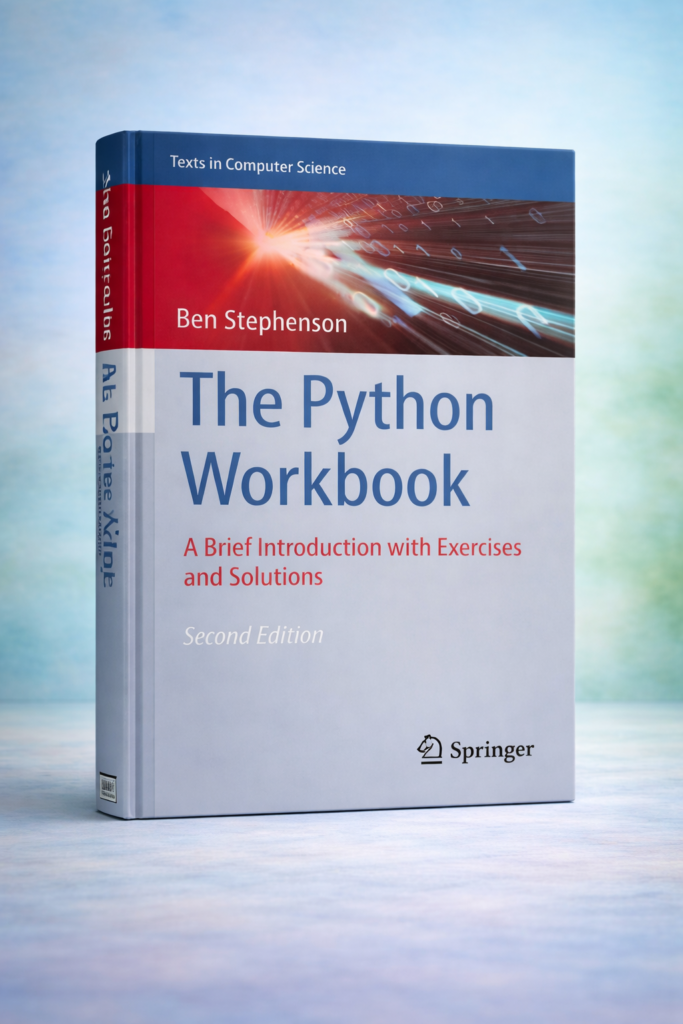
A practical Python workbook can therefore serve as a bridge between theory and implementation. Instead of treating programming as a collection of abstract commands, exercises encourage learners to experiment with code and understand why a particular solution works.
This article explores the educational and engineering value of The Python Workbook: A Brief Introduction with Exercises and Solutions. The emphasis is not on reproducing material from the book, but on explaining the programming concepts, learning methodology, engineering applications, and problem-solving skills associated with a workbook-oriented Python curriculum.
Whether you are a university student learning your first programming language or an engineer looking to automate repetitive technical tasks, Python offers a flexible environment for turning ideas into working solutions. 🚀
Background Theory 📚
Python is a high-level, general-purpose programming language designed around readability and developer productivity. Unlike lower-level languages where programmers often need to manage many implementation details, Python allows them to focus more directly on the problem being solved.
Why Python Is Important in Engineering
Engineering workflows increasingly involve software. Engineers may need to:
- Process experimental measurements
- Analyze laboratory results
- Automate repetitive calculations
- Read and modify technical datasets
- Generate reports
- Visualize measurements
- Build simulation tools
- Work with machine-learning systems
- Interface with databases
- Control external equipment
Python is particularly valuable because one language can support many of these activities.
Learning Through Exercises 🧠
A workbook approach normally combines three elements:
Concept → Exercise → Solution
The concept introduces a programming idea. The exercise requires the learner to apply it. The solution provides an opportunity to inspect mistakes and compare different approaches.
This process encourages active learning rather than passive reading.
From Syntax to Problem Solving
Beginners often concentrate on memorizing commands. Professional programming requires something different: understanding how to break a problem into smaller tasks.
For example, an engineering problem might involve:
- Receiving measurement data.
- Cleaning the information.
- Processing the values.
- Identifying unusual results.
- Producing a summary.
- Visualizing the findings.
Python provides tools for each stage.
Definition: What Is a Python Workbook? 🐍📖
A Python workbook is a structured learning resource that combines programming explanations with practical exercises and, frequently, worked solutions.
Rather than functioning solely as a reference manual, a workbook encourages the reader to write code and test ideas.
Main Components
A Python workbook commonly covers topics such as:
- Variables
- Data types
- Strings
- Lists
- Tuples
- Dictionaries
- Conditional statements
- Loops
- Functions
- Modules
- File handling
- Exceptions
- Object-oriented programming
- Data processing
- Practical programming exercises
Why Exercises Matter
Exercises expose gaps in understanding.
A learner may believe that loops are understood after reading an explanation. However, attempting to create a program that processes an unknown number of measurements can reveal whether the concept has actually been mastered.
This makes exercises an important part of programming education.
Step-by-Step Learning Approach 🛠️
A practical way to use a Python workbook is to progress from simple concepts toward engineering-oriented projects.


Step 1: Understand the Problem
Before writing code, identify exactly what the program needs to accomplish.
Ask:
- 🐍 What information enters the program?
- 🐍 What processing is required?
- What should the program produce?
- What conditions could cause an error?
This habit becomes increasingly important as programs become larger.
Step 2: Identify the Required Data
Determine what information needs to be stored.
For example, an engineering program might work with:
- Temperatures
- Pressures
- Material properties
- Sensor readings
- Component names
- Equipment identifiers
Python variables can represent these values in a readable way.
Step 3: Select Appropriate Data Structures
Different problems require different ways of organizing information.
A list can represent a sequence of measurements. A dictionary can associate equipment names with their properties. A tuple can represent a fixed collection of related values.
Choosing an appropriate structure makes the program easier to understand and maintain.
Step 4: Build the Logic
Conditional statements allow programs to make decisions.
Loops allow repetitive operations to be automated.
Functions divide larger programs into reusable components.
Together, these features form the foundation of practical Python programming.
Step 5: Test the Program 🔍
Testing should not be postponed until the end.
Try:
- Normal input
- Empty input
- Unexpected input
- Very large datasets
- Missing information
- Incorrect data types
Testing helps reveal assumptions that were not obvious during development.
Step 6: Study the Solution
When an exercise provides a solution, avoid immediately copying it.
First attempt the problem independently.
Then compare your approach with the suggested solution and ask:
Why was this structure chosen?
This turns the solution into a learning tool instead of merely an answer.
Comparison: Workbook Learning vs Traditional Learning
| Learning Method | Main Strength | Limitation | Best Use |
|---|---|---|---|
| Traditional textbook | Strong theoretical foundation | Can be passive | Understanding concepts |
| Video course | Visual demonstrations | Easy to watch without practicing | Guided beginners |
| Python workbook | Practice-oriented learning | Requires active participation | Skill development |
| Documentation | Accurate technical reference | Not always beginner-friendly | Professional development |
| Personal projects | Real-world problem solving | Can be difficult initially | Intermediate/advanced learners |
| Classroom exercises | Instructor guidance | Depends on course quality | Academic education |
Workbook vs Project-Based Learning
These approaches are complementary.
A workbook provides controlled exercises where the difficulty can increase gradually. Projects introduce ambiguity and require learners to decide what should be built and how it should work.
An effective learning path often uses both.
Diagrams and Tables 📊


A simplified Python learning structure can be visualized as:
Basic Syntax → Data → Decisions → Repetition → Functions → Files → Modules → Projects
Each stage builds upon previous skills.
Core Python Concepts
| Concept | Purpose | Engineering Example |
|---|---|---|
| Variable | Stores information | Sensor reading |
| String | Handles text | Equipment ID |
| List | Stores sequences | Measurement series |
| Dictionary | Organizes key-value information | Component specifications |
| Conditional | Makes decisions | Safety threshold checking |
| Loop | Repeats operations | Processing measurements |
| Function | Creates reusable logic | Data conversion |
| Module | Organizes functionality | Engineering utilities |
| File handling | Reads/writes data | Laboratory records |
| Exception handling | Manages errors | Missing sensor data |
The Debugging Cycle
A useful programming workflow is:
Write → Run → Observe → Debug → Test → Improve
This cycle is normal in professional software development.
Practical Examples 🔧
Example 1: Temperature Monitoring
Imagine an engineer receives temperature measurements from several sensors.
A Python program can store the readings, inspect them, identify values outside an acceptable range, and create a simple report.
The important lesson is not the specific code. It is the transformation of raw measurements into useful information.
Example 2: Engineering File Processing
Suppose a laboratory produces hundreds of data files.
Opening each file manually can consume significant time.
Python can automate the process by:
- Finding the files.
- Reading their contents.
- Extracting required information.
- Organizing the results.
- Creating a summary.
Example 3: Equipment Inventory
An engineering department may have hundreds of components.
Python dictionaries and lists can help organize:
- Component names
- Serial identifiers
- Locations
- Maintenance status
- Replacement information
The resulting application could become a simple internal inventory tool.
Example 4: Automated Report Generation
A Python program can process experimental results and prepare structured reports.
This can reduce repetitive manual work and improve consistency.
Real-World Applications 🌍
Python is used across a broad range of engineering disciplines.
Civil Engineering
Civil engineers can use Python for:
- Structural data processing
- Survey data analysis
- Geographic information workflows
- Construction data management
- Project automation
Mechanical Engineering
Python can support:
- Experimental data processing
- CAD-related automation
- Manufacturing workflows
- Equipment monitoring
- Simulation post-processing
Electrical Engineering
Applications include:
- Signal processing
- Test automation
- Circuit-data analysis
- Embedded-system workflows
- Instrumentation
Chemical Engineering
Python can help with:
- Process monitoring
- Laboratory data analysis
- Process optimization
- Experimental automation
- Data visualization
Software and Data Engineering
Python is extensively used for:
- Data pipelines
- APIs
- Automation
- Machine learning
- Scientific computing
- Backend development
Common Mistakes ⚠️
Trying to Memorize Everything
Python contains many features. Beginners do not need to memorize the entire language.
Learn fundamental concepts and use documentation when necessary.
Copying Solutions Too Quickly
Looking at an answer before attempting the problem reduces the learning benefit.
Try first—even if the first solution is imperfect.
Ignoring Error Messages
Error messages are valuable diagnostic information.
Instead of fearing them, learn to identify:
- The error type
- The affected line
- The surrounding code
- The likely cause
Writing Everything in One Block
Large blocks of code become difficult to test.
Functions can divide a program into smaller, understandable units.
Using Unclear Variable Names
Names such as x, a, and data1 may be acceptable for tiny examples but become confusing in professional programs.
Descriptive names improve readability.
Challenges & Solutions 🚧
Challenge: Programming Anxiety
Beginners may feel overwhelmed when the first program fails.
Solution: Treat errors as feedback. Debugging is a normal part of programming.
Challenge: Understanding Logic
Knowing syntax does not automatically mean understanding algorithms.
Solution: Write the solution in plain language before implementing it.
Challenge: Moving Beyond Exercises
Workbook exercises are structured, while real engineering projects are often ambiguous.
Solution: After completing exercises, create small independent projects.
Challenge: Managing Large Programs
As programs grow, organization becomes increasingly important.
Solution: Use functions, modules, meaningful names, documentation, and version control.
Challenge: Choosing Libraries
Python has thousands of packages, which can be confusing.
Solution: Learn the core language first, then introduce libraries according to project requirements.
Case Study: Automating Laboratory Data Processing 🧪
Consider a university engineering laboratory where students perform repeated material tests.
Traditionally, students may manually transfer measurement results into spreadsheets and prepare summary reports.
A Python-based workflow can improve this process.
Initial Situation
The laboratory generates many measurement files. Each file contains information about a test specimen and recorded measurements.
Manual processing creates several problems:
- Repetitive data entry
- Human errors
- Inconsistent formatting
- Time-consuming reporting
- Difficulty comparing many tests
Python-Based Solution
A small Python application could:
- Locate measurement files.
- Read the data.
- Check for missing values.
- Organize the measurements.
- Produce summaries.
- Generate visualizations.
- Save the processed results.
Result
The greatest benefit is not simply speed.
Students also learn how programming connects with engineering practice.
They gain experience with:
Data → Code → Analysis → Visualization → Engineering Decision
This illustrates why workbook exercises are valuable: small programming concepts can eventually become components of useful engineering systems.
Essential Tips ⭐
For Beginners
Start with fundamentals.
Focus on:
- Variables
- Data types
- Conditions
- Loops
- Functions
- Lists
- Dictionaries
- File handling
Practice consistently instead of attempting to learn everything at once.
For Engineering Students
Connect every programming concept to a technical problem.
Instead of practicing lists only with abstract examples, use lists to represent measurements, test results, component specifications, or experimental observations.
For Professionals
Focus on maintainability.
Professional Python programming is not just about producing working code. It is about producing code that another engineer can understand, test, modify, and reuse.
A Useful Weekly Routine 📅
A practical routine could include:
🐍 Day 1: Learn a new concept
Day 2: Complete basic exercises
Day 3: Solve more difficult exercises
🐍 Day 4: Debug incorrect solutions
Day 5: Build a small application
Day 6: Review previous concepts
🐍 Day 7: Work on an independent project
Consistency is more valuable than occasional long study sessions.
FAQs ❓
What is the main purpose of a Python workbook?
Its purpose is to combine explanations with exercises so learners can practice programming concepts instead of simply reading about them.
Is Python suitable for engineering students?
Yes. Python is useful for automation, data analysis, scientific computing, simulations, visualization, and many other engineering tasks.
Do I need previous programming experience?
No. Introductory Python material can be approached by complete beginners, provided they practice regularly.
Should I read the solution immediately after an exercise?
It is better to attempt the exercise first. If your solution fails, study the explanation and identify what caused the problem.
Can Python replace engineering software?
Usually, Python complements rather than completely replaces specialized engineering software. It is particularly powerful for automation, data processing, integration, and custom workflows.
How long does it take to learn Python?
Basic programming concepts can be learned relatively quickly, but becoming proficient requires continued practice and real projects.
Should engineers learn advanced Python?
Yes, especially when Python becomes part of professional workflows. Functions, modules, object-oriented programming, testing, data processing, and software organization become increasingly important.
What should I build after finishing beginner exercises?
Build a project connected to your field. Examples include a laboratory-data processor, equipment inventory system, engineering report generator, monitoring application, or technical data visualization tool.
Conclusion 🚀
The Python Workbook: A Brief Introduction with Exercises and Solutions represents a practical style of programming education in which learning is driven by practice, experimentation, and problem solving.
Python’s value for engineers extends far beyond learning programming syntax. It can become a practical tool for automating repetitive work, processing experimental data, organizing technical information, creating visualizations, and developing specialized engineering applications.
The most effective strategy is to progress gradually: understand a concept, attempt an exercise, investigate errors, compare solutions, and then apply the concept to a realistic problem.
For students, this approach creates a strong foundation for programming and computational engineering. For professionals, it provides a pathway toward automation and more efficient technical workflows.
Ultimately, the most important Python skill is not memorizing commands. It is learning how to think systematically about problems and transform those ideas into reliable software. 🐍⚙️💡




