🤖 The Maker’s Guide to Building Robots: Step-by-Step Engineering Guide to Components, Sensors, Programming, and Robotics Systems
🤖 Introduction
Robotics is no longer limited to advanced laboratories or large industrial factories. In the modern engineering world, students, hobbyists, researchers, and professionals are increasingly building robots in workshops, garages, classrooms, and innovation labs. The rise of affordable electronics, open-source software, and accessible learning resources has created a global maker movement where individuals can design and construct intelligent machines.
Robots are used in many fields such as manufacturing, healthcare, agriculture, logistics, exploration, and education. Understanding how robots work and how to build them is now an important skill in modern engineering disciplines including mechanical engineering, electrical engineering, computer engineering, and artificial intelligence.
Building a robot may appear complicated at first, but the process becomes manageable when broken down into logical engineering steps. A robot typically consists of several fundamental subsystems:
- Mechanical structure
- Electronics and circuitry
- Sensors
- Actuators (motors)
- Microcontrollers
- Programming software
- Power systems
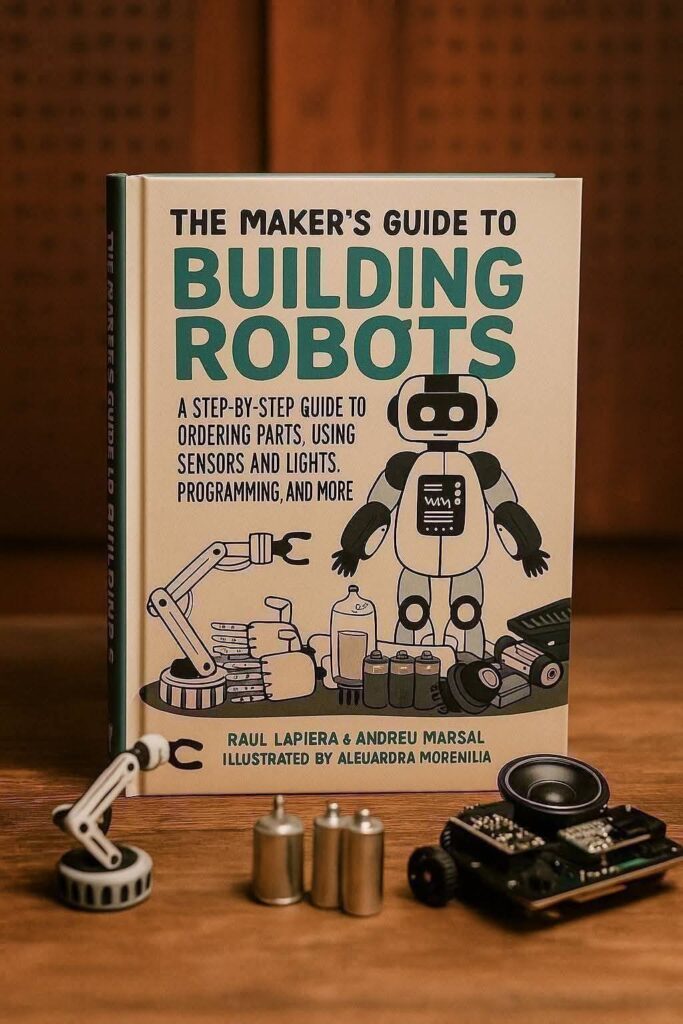
Each subsystem contributes to the robot’s ability to perceive its environment, process information, and perform physical actions.
This guide explains the complete process of building robots from an engineering perspective. It covers how to select components, order parts, connect sensors, program control systems, and troubleshoot common issues. The explanations are designed to help beginners understand the basics while also providing technical insights useful for advanced engineers.
⚙️ Background Theory
Understanding robotics requires knowledge from several engineering fields. Robotics integrates mechanical systems, electronic circuits, software engineering, and control theory.
Mechanical Engineering Principles
The mechanical structure of a robot determines how it moves and interacts with its environment. Engineers must consider:
- Structural strength
- Weight distribution
- Friction and efficiency
- Stability during movement
Robots may use wheels, tracks, legs, or articulated arms depending on their purpose.
Electrical Engineering Principles
Electrical engineering provides the foundation for powering and controlling robotic systems. Important concepts include:
- Voltage and current
- Power distribution
- Signal processing
- Circuit design
Microcontrollers coordinate sensors and actuators by processing electrical signals.
Computer Science and Programming
Software acts as the brain of the robot. Programming enables robots to:
- Process sensor data
- Make decisions
- Control motors
- Execute complex behaviors
Programming languages commonly used in robotics include:
- C / C++
- Python
- Java
- Embedded scripting languages
Control Systems Engineering
Control theory allows robots to respond intelligently to environmental changes. Feedback loops enable robots to maintain balance, follow paths, or adjust speed.
Common control techniques include:
- PID control systems
- Feedback loops
- Sensor fusion algorithms
These principles allow engineers to design robots that perform precise movements and automated tasks.
🔧 Technical Definition
A robot is an electromechanical system capable of sensing its environment, processing information, and performing actions autonomously or semi-autonomously through programmed instructions.
A typical robotic system includes five major components:
- Mechanical Framework
The physical structure supporting motors, sensors, and electronics. - Actuators
Devices that convert electrical energy into movement. Examples include motors and servos. - Sensors
Components that detect environmental conditions such as distance, light, temperature, or motion. - Controller
A microcontroller or embedded computer that processes input and executes commands. - Power System
Batteries or power supplies that provide energy to the entire system.
Together, these components form a complete robotic system capable of performing programmed operations.
🧰 Step-by-Step Explanation of Building a Robot
Step 1: Define the Purpose of the Robot
Before building any robot, engineers must define the objective of the system.
Examples include:
- Line-following robots
- Obstacle avoidance robots
- Autonomous delivery robots
- Industrial robotic arms
The purpose determines component selection and system architecture.
Step 2: Design the Mechanical Structure
The mechanical design determines the robot’s mobility and durability.
Common materials include:
- Aluminum frames
- Acrylic plates
- 3D printed plastic parts
- Steel chassis
Engineers must consider:
- Weight capacity
- Motor mounting positions
- Space for electronics
Step 3: Select the Microcontroller
The microcontroller acts as the robot’s control unit.
Popular options include:
- Arduino boards
- Raspberry Pi
- ESP32 microcontrollers
- STM32 development boards
Factors to consider when selecting a controller:
- Processing speed
- Number of input/output pins
- Communication interfaces
- Power consumption
Step 4: Choose Motors and Actuators
Motors determine how the robot moves.
Types of motors include:
| Motor Type | Characteristics | Typical Uses |
|---|---|---|
| DC Motor | Simple rotation | Wheeled robots |
| Servo Motor | Precise angle control | Robotic arms |
| Stepper Motor | Accurate positioning | CNC machines |
| Brushless Motor | High efficiency | Drones |
Engineers select motors based on torque requirements and speed.
Step 5: Integrate Sensors
Sensors allow robots to interact with their environment.
Common sensors include:
| Sensor | Function |
|---|---|
| Ultrasonic sensor | Measures distance |
| Infrared sensor | Detects objects |
| Gyroscope | Measures orientation |
| Accelerometer | Measures movement |
| Camera | Visual recognition |
Sensors provide data that helps robots make intelligent decisions.
Step 6: Connect Lights and Indicators
Lights serve multiple purposes in robotics.
Uses include:
- Status indicators
- Debugging signals
- Visual feedback
- Safety alerts
Common lighting components:
- LEDs
- RGB light modules
- Laser indicators
Lights help engineers quickly understand the robot’s state during operation.
Step 7: Build the Electrical Circuit
Robotic circuits connect all electronic components together.
Important elements include:
- Breadboards or PCB boards
- Voltage regulators
- Motor drivers
- Wiring harnesses
Motor drivers are essential because microcontrollers cannot supply enough current to power motors directly.
Step 8: Programming the Robot
Programming defines how the robot behaves.
Basic programming tasks include:
- Reading sensor inputs
- Controlling motors
- Implementing logic decisions
- Communicating with external devices
Example logic:
stop movement
rotate 90 degrees
Else
move forward
Advanced robots use machine learning or computer vision algorithms.
Step 9: Testing and Calibration
Testing ensures that all components operate correctly.
Engineers test:
- Sensor accuracy
- Motor response
- Power stability
- Software reliability
Calibration improves performance by adjusting sensor thresholds and motor speeds.
📊 Comparison of Robotics Platforms
| Platform | Advantages | Disadvantages |
|---|---|---|
| Arduino | Easy for beginners | Limited processing power |
| Raspberry Pi | Powerful computing | Higher power usage |
| ESP32 | Wi-Fi and Bluetooth | Fewer development tools |
| STM32 | Industrial-level performance | Complex programming |
Each platform serves different project requirements.
📐 Basic Robot Architecture Diagram
| Sensors |
| Distance / Camera |
+———-+———–+
|
v
+———————-+
| Microcontroller |
| Processor |
+———-+———–+
|
v
+———————-+
| Motor Driver |
+———-+———–+
|
v
+———————-+
| Motors |
| Movement System |
+———————-+
This architecture shows the data flow from sensors to actuators through the controller.
🧪 Examples of Beginner Robot Projects
Line Following Robot
Uses infrared sensors to detect a black line on the floor and adjust motor speed to stay on the path.
Obstacle Avoidance Robot
Uses ultrasonic sensors to detect objects and change direction automatically.
Smart Light Robot
Uses light sensors to move toward or away from light sources.
These projects help students understand fundamental robotics principles.
🌍 Real World Applications of Robotics
Robots are transforming many industries.
Manufacturing
Industrial robots assemble cars, electronics, and consumer products with high precision.
Healthcare
Medical robots assist surgeons in performing complex procedures with minimal invasiveness.
Agriculture
Agricultural robots help with crop monitoring, planting, and harvesting.
Logistics
Autonomous robots manage warehouse inventory and delivery operations.
Space Exploration
Robotic rovers explore planetary surfaces where human exploration is not possible.
⚠️ Common Mistakes When Building Robots
Ignoring Power Requirements
Motors require significant current. Insufficient power supply causes unstable performance.
Poor Wiring
Loose or incorrect wiring often leads to malfunctioning sensors or motors.
Overcomplicated Designs
Beginners sometimes attempt advanced designs before mastering simple systems.
Lack of Testing
Skipping incremental testing can make troubleshooting difficult.
🧠 Challenges and Engineering Solutions
Challenge: Sensor Noise
Sensors may produce inaccurate readings due to environmental interference.
Solution:
Use filtering algorithms and calibration techniques.
Challenge: Power Management
Robots with multiple motors consume large amounts of power.
Solution:
Use efficient batteries and voltage regulators.
Challenge: Mechanical Instability
Poor weight distribution causes robots to tip or lose balance.
Solution:
Optimize center of gravity and chassis design.
Challenge: Software Complexity
Advanced robotics algorithms require complex programming.
Solution:
Use modular code architecture and reusable libraries.
📚 Case Study: Autonomous Delivery Robot
An engineering team developed a small autonomous robot designed for campus delivery.
System Components
- Microcontroller-based control system
- GPS navigation module
- Camera for obstacle detection
- Electric drive motors
Operation Process
- Robot receives delivery destination.
- Navigation system calculates path.
- Sensors detect obstacles.
- Control system adjusts movement.
Engineering Results
The robot successfully delivered packages across a university campus while avoiding obstacles and maintaining stable navigation.
This project demonstrated the importance of integrating mechanical, electrical, and software systems.
🛠️ Tips for Engineers Building Robots
- Start with simple robotic projects.
- Use modular components for easier upgrades.
- Document wiring and programming steps.
- Test components individually before integration.
- Use simulation tools before physical assembly.
These practices improve reliability and reduce development time.
❓ Frequently Asked Questions (FAQs)
1. What is the best programming language for robotics?
C++ and Python are widely used because they provide strong hardware integration and powerful libraries.
2. How much does it cost to build a beginner robot?
Simple robots can be built for $50–$200 depending on components.
3. Do robots always require sensors?
Most autonomous robots rely on sensors, but some simple robots operate using pre-programmed movement patterns.
4. Can beginners build robots without engineering degrees?
Yes. Many robotics platforms are designed for learning and experimentation.
5. What is the most important component in a robot?
The microcontroller is often considered the brain of the robot because it processes data and controls actions.
6. How long does it take to build a robot?
A simple robot can be built within a few hours, while advanced systems may require months of engineering development.
7. What industries are adopting robotics fastest?
Manufacturing, healthcare, logistics, and autonomous transportation are leading industries.
🎯 Conclusion
Building robots is an exciting interdisciplinary field that combines mechanical design, electronics, programming, and control systems. With the availability of affordable components and open-source tools, robotics has become accessible to students, engineers, and innovators around the world.
By understanding the fundamental components of robotic systems—mechanical structures, sensors, actuators, controllers, and power systems—engineers can design intelligent machines capable of performing complex tasks.
The key to success in robotics engineering is a structured development approach. Engineers must carefully plan system architecture, select appropriate components, test each subsystem, and continuously refine designs through experimentation.
As robotics technology continues to evolve, the demand for engineers with robotics skills will increase across industries including manufacturing, healthcare, logistics, agriculture, and exploration.
For students and professionals alike, learning how to build robots provides valuable experience in engineering design, problem-solving, and innovation. Whether creating simple educational robots or advanced autonomous systems, the journey of robotics engineering begins with curiosity, creativity, and a willingness to experiment. 🤖⚙️