
🚀 Arduino: Getting Started With Arduino — The Ultimate Beginner’s Guide to Arduino Programming, Arduino Sketches, Robotics, and Embedded Systems
🌍 Introduction to Arduino and Modern Embedded Systems
In recent years, embedded systems have transformed the way engineers, developers, and innovators interact with technology. From smart homes and wearable devices to industrial automation and robotics, embedded platforms allow small programmable hardware devices to control complex systems.
One of the most influential platforms in this revolution is Arduino.
Arduino has become a global standard for learning electronics, programming, and prototyping intelligent devices. It provides a simple hardware platform combined with an easy-to-learn programming environment that enables beginners and professionals alike to build innovative projects.
Before Arduino, working with microcontrollers required deep knowledge of electronics, assembly language, and expensive development tools. Engineers needed specialized hardware programmers, complex compilers, and proprietary development boards.
Arduino changed that completely.
Today, anyone with basic programming knowledge can build:
- Robotics systems
- Smart home automation
- IoT devices
- Environmental monitoring systems
- Interactive art installations
- Autonomous vehicles
- Embedded sensors and control systems
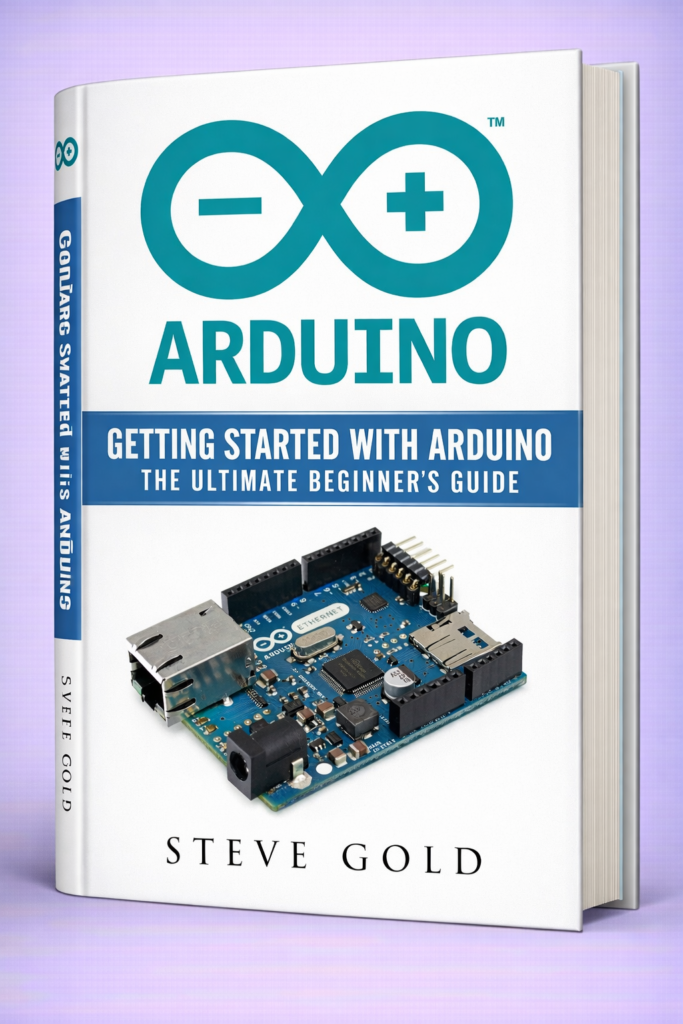
Arduino bridges the gap between software development and physical computing.
Students learning programming languages such as:
- C++
- Python
- Ruby
- PHP
- HTML
- XML
can use Arduino to connect their software with real-world devices such as sensors, motors, displays, and communication modules.
This comprehensive guide explains Arduino from the ground up, covering both fundamental concepts and advanced engineering practices.
⚙️ Background Theory of Microcontrollers and Embedded Systems
🔬 What is an Embedded System?
An embedded system is a computer designed to perform a specific task within a larger mechanical or electrical system.
Unlike general-purpose computers, embedded systems focus on a single dedicated function.
Examples include:
| Device | Embedded Function |
|---|---|
| Washing machine | Motor control & timer |
| Smart thermostat | Temperature regulation |
| Car engine ECU | Fuel injection control |
| Robot arm | Motion and sensor control |
| Drone | Navigation and stabilization |
Most embedded systems rely on microcontrollers.
🧠 What is a Microcontroller?
A microcontroller is a small integrated circuit that contains:
- CPU (processor)
- RAM memory
- Flash memory
- Input/Output pins
- Timers
- Communication interfaces
All of these components are integrated on one single chip.
Typical microcontroller tasks include:
- Reading sensors
- Controlling motors
- Processing signals
- Communicating with other devices
Arduino boards use microcontrollers such as:
| Arduino Board | Microcontroller |
|---|---|
| Arduino Uno | ATmega328P |
| Arduino Mega | ATmega2560 |
| Arduino Nano | ATmega328 |
| Arduino Leonardo | ATmega32u4 |
📡 Hardware + Software Integration
Embedded systems require two major components:
Hardware
Examples:
- Sensors
- Motors
- LEDs
- Displays
- Communication modules
Software
Programs that instruct the microcontroller how to behave.
Arduino programs are called Sketches.
🧾 Technical Definition of Arduino
🔧 Arduino Definition
Arduino is an open-source electronics platform based on easy-to-use hardware and software designed for building digital devices and interactive objects.
It consists of:
- Microcontroller development boards
- Arduino IDE software
- Programming libraries
- Hardware shields and modules
🧩 Core Arduino Components
| Component | Description |
|---|---|
| Arduino Board | Physical microcontroller board |
| Arduino IDE | Programming software |
| Arduino Sketch | The program uploaded to the board |
| Libraries | Pre-written code for hardware modules |
| Shields | Hardware extensions |
💻 Programming Language
Arduino programming uses a simplified version of C++.
However, Arduino systems can interact with many other languages through serial communication or APIs such as:
| Language | Use Case |
|---|---|
| C++ | Arduino firmware |
| Python | Data processing |
| Ruby | Server integration |
| PHP | Web control interfaces |
| HTML | Web dashboards |
| XML | Device configuration |
🧑💻 Step-by-Step Guide to Getting Started With Arduino
🔌 Step 1: Getting Your First Arduino Board
Beginners usually start with:
- Arduino Uno
- Arduino Nano
These boards provide enough pins and features for learning electronics.
Typical components needed:
| Component | Purpose |
|---|---|
| Breadboard | Prototyping circuits |
| Jumper wires | Connections |
| LEDs | Light output |
| Resistors | Current control |
| Sensors | Input signals |
💻 Step 2: Installing Arduino IDE
Arduino IDE is the software used to write and upload sketches.
Steps:
- Download Arduino IDE
- Install USB drivers
- Connect Arduino board
- Select board type
- Select COM port
The IDE provides:
- Code editor
- Serial monitor
- Compiler
- Upload tool
✍️ Step 3: Writing Your First Arduino Sketch
The first program usually controls an LED.
Example Arduino sketch:
pinMode(13, OUTPUT);
}
void loop() {
digitalWrite(13, HIGH);
delay(1000);
digitalWrite(13, LOW);
delay(1000);
}
This program blinks an LED every second.
🔄 Step 4: Understanding Arduino Program Structure
Every Arduino sketch has two main functions:
| Function | Purpose |
|---|---|
| setup() | Runs once when the board starts |
| loop() | Runs continuously |
Example flow:
↓
Setup function
↓
Loop function
↓
Repeat forever
🔍 Step 5: Reading Sensor Data
Example temperature sensor code:
void setup() {
Serial.begin(9600);
}
void loop() {
int value = analogRead(sensorPin);
Serial.println(value);
delay(1000);
}
This sends sensor readings to the serial monitor.
🔎 Comparison: Arduino vs Other Platforms
| Feature | Arduino | Raspberry Pi | PIC Microcontroller |
|---|---|---|---|
| Type | Microcontroller | Microcomputer | Microcontroller |
| OS | None | Linux | None |
| Ease of use | Very easy | Moderate | Difficult |
| Programming | C++ | Python/C++ | Assembly/C |
| Best for | Hardware projects | IoT servers | Industrial systems |
🧠 Arduino vs Raspberry Pi 2
Arduino
- Real-time control
- Low power
- Simple programming
Raspberry Pi 2
- Full computer
- Runs Linux
- Supports web servers
Many advanced projects combine both platforms.
📊 Common Arduino Components Table
| Component | Function | Example Use |
|---|---|---|
| LED | Visual output | Status indicator |
| Ultrasonic sensor | Distance measurement | Robotics |
| Servo motor | Controlled rotation | Robot arm |
| Temperature sensor | Measure temperature | Smart thermostat |
| LCD display | Show information | User interface |
🧪 Examples of Arduino Projects
🤖 Example 1: Line Following Robot
Components:
- Arduino board
- IR sensors
- Motor driver
- DC motors
Functions:
- Detect black line
- Adjust motor speed
- Follow path automatically
🌡 Example 2: Smart Temperature Monitor
Sensors measure temperature and send readings to:
- LCD display
- Web server
- Smartphone app
🏠 Example 3: Smart Home Automation
Using Arduino with WiFi modules allows control of:
- Lights
- Fans
- Doors
- Security alarms
🌎 Real-World Applications of Arduino
Arduino is used across many engineering fields.
🏭 Industrial Automation
Factories use Arduino prototypes to develop:
- Machine controllers
- Data acquisition systems
- Predictive maintenance sensors
🚗 Automotive Engineering
Arduino is used for:
- Vehicle diagnostics
- Sensor testing
- ECU simulation
🛰 Robotics Engineering
Robotics platforms use Arduino for:
- Motor control
- Sensor integration
- Path planning
🌱 Environmental Monitoring
Systems monitor:
- Air pollution
- Water quality
- Soil moisture
- Climate conditions
⚠️ Common Mistakes Beginners Make
1️⃣ Forgetting Resistors With LEDs
Without resistors, LEDs may burn out.
2️⃣ Incorrect Pin Connections
Always verify wiring diagrams before powering the board.
3️⃣ Using Wrong Voltage
Many sensors require specific voltage levels.
4️⃣ Blocking Code With Delay()
Excessive delays reduce system responsiveness.
5️⃣ Poor Power Management
Motors and sensors may require external power supplies.
🚧 Engineering Challenges and Practical Solutions
Challenge 1: Noise in Sensor Signals
Solution
- Use filtering algorithms
- Add capacitors
- Use shielded cables
Challenge 2: Memory Limitations
Arduino boards have limited RAM.
Solutions:
- Optimize code
- Avoid large arrays
- Use program memory
Challenge 3: Communication Errors
Solutions include:
- Error detection protocols
- Reliable serial communication
- Buffer management
🏗 Case Study: Arduino-Based Smart Irrigation System
Problem
Farmers often waste water due to inefficient irrigation.
Solution
Engineers designed an Arduino system that:
- Monitors soil moisture
- Controls water pumps
- Automates irrigation cycles
System Components
| Component | Role |
|---|---|
| Arduino Uno | Control system |
| Soil moisture sensor | Detect dryness |
| Water pump | Irrigation |
| Relay module | Switch control |
Results
Benefits included:
- 40% water savings
- Automated farming
- Reduced labor costs
💡 Tips for Engineers Working With Arduino
1️⃣ Start With Small Projects
Begin with LED and sensor experiments.
2️⃣ Use Modular Design
Separate hardware modules into subsystems.
3️⃣ Use Libraries
Libraries reduce development time significantly.
4️⃣ Document Your Circuits
Always keep wiring diagrams and code documentation.
5️⃣ Test Hardware Incrementally
Test each component before full integration.
❓ Frequently Asked Questions (FAQs)
1️⃣ Is Arduino good for beginners?
Yes. Arduino is designed specifically for beginners learning electronics and programming.
2️⃣ Do I need programming experience?
Basic programming knowledge helps, but beginners can learn quickly.
3️⃣ Can Arduino control robots?
Yes. Arduino is widely used in robotics for motor control and sensor integration.
4️⃣ What language does Arduino use?
Arduino uses a simplified version of C++.
5️⃣ Can Arduino connect to the internet?
Yes. Using modules such as WiFi or Ethernet shields.
6️⃣ Is Arduino used in industry?
While not always used directly in production, it is widely used for prototyping engineering systems.
7️⃣ What is the difference between Arduino and Raspberry Pi?
Arduino is a microcontroller platform, while Raspberry Pi is a full microcomputer.
🧾 Conclusion
Arduino has revolutionized the way engineers, students, and hobbyists interact with electronics and embedded systems.
Its open-source ecosystem, simple programming environment, and affordable hardware make it one of the most accessible engineering platforms in the world.
From simple LED experiments to advanced robotics and IoT systems, Arduino enables developers to transform ideas into functional hardware prototypes quickly and efficiently.
For beginners, Arduino provides a friendly introduction to electronics and programming. For professionals, it offers a rapid prototyping platform capable of testing complex engineering concepts.
As technology continues to evolve toward smart systems, automation, and connected devices, Arduino remains a powerful tool for learning, innovation, and engineering development.
Mastering Arduino is not just about learning a development board—it is about understanding the fundamentals of embedded systems, hardware-software integration, and the future of intelligent technology.




