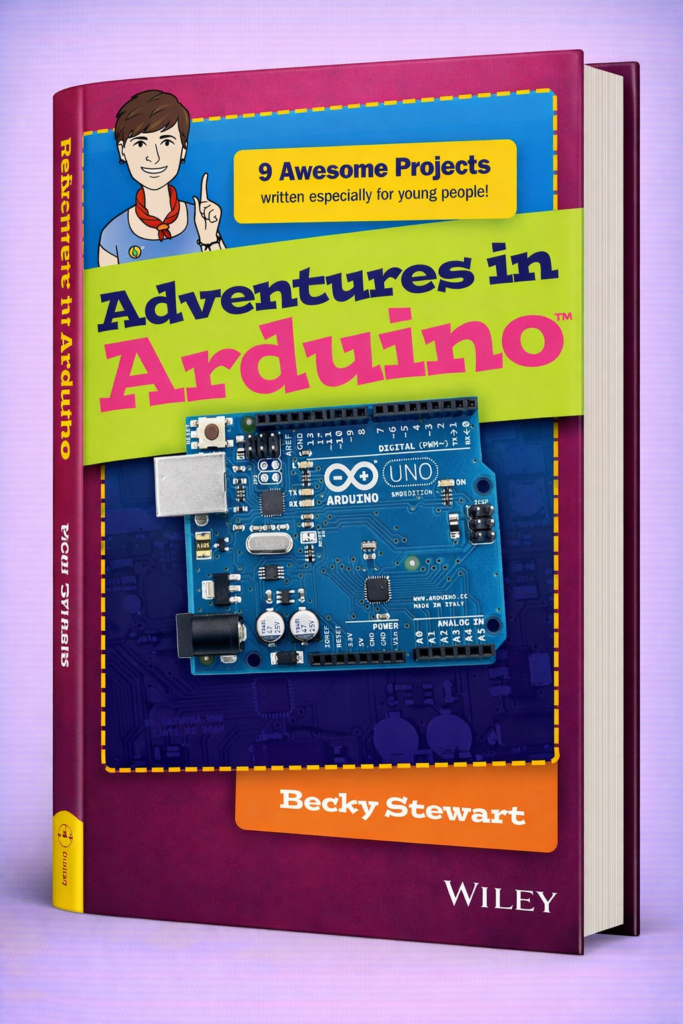
🚀 Adventures in Arduino: A Complete Engineering Guide to Microcontroller Projects, Embedded Systems, and Real-World Innovation
🌍 Introduction
Over the past two decades, embedded systems have quietly become the backbone of modern technology. From smart home devices and wearable electronics to industrial automation systems and autonomous robots, microcontrollers are everywhere. Among the many platforms that make embedded system development accessible, Arduino stands out as one of the most revolutionary tools for students, hobbyists, and professional engineers.
The phrase “Adventures in Arduino” perfectly captures the journey engineers experience when exploring this platform. What begins as a simple blinking LED experiment can quickly evolve into sophisticated robotics, Internet of Things (IoT) devices, environmental monitoring systems, and artificial intelligence hardware.
Arduino’s popularity comes from its powerful combination of simplicity, flexibility, and open-source design. It provides a user-friendly programming environment, affordable hardware boards, and a global ecosystem of libraries and modules. This accessibility enables engineers to prototype and test ideas rapidly without the need for expensive industrial development kits.
For students, Arduino represents the gateway to understanding embedded programming, electronics, and hardware-software integration. For professionals, it provides a fast prototyping tool for testing concepts before scaling to industrial microcontrollers.
This article explores Arduino from an engineering perspective, covering:
- Fundamental theory behind microcontrollers
- Technical architecture of Arduino boards
- Step-by-step system development
- Comparisons with other embedded platforms
- Real-world engineering applications
- Common mistakes and advanced optimization techniques
By the end of this guide, readers will gain both foundational knowledge and advanced insights into using Arduino for real engineering innovation.
🔬 Background Theory
Before diving into Arduino itself, it is important to understand the engineering principles that make microcontroller systems work.
🧠 Embedded Systems Fundamentals
An embedded system is a specialized computer designed to perform a dedicated function within a larger mechanical or electrical system.
Unlike desktop computers, embedded systems typically have:
- Limited processing power
- Limited memory
- Specific input/output tasks
- Real-time constraints
Common embedded system examples include:
- Microwave controllers
- Automotive engine control units
- Smart thermostats
- Medical monitoring devices
Arduino operates as an embedded system development platform, allowing engineers to create such systems easily.
⚡ Microcontroller Architecture
At the heart of every Arduino board lies a microcontroller, a compact integrated circuit that combines:
- CPU (Central Processing Unit)
- Memory (RAM and Flash)
- Input/Output peripherals
- Timers
- Communication interfaces
Unlike a microprocessor, which requires external memory and components, a microcontroller contains everything needed for control applications on a single chip.
Key architectural components include:
CPU Core
Executes program instructions and performs logical and arithmetic operations.
Flash Memory
Stores the program code uploaded by the developer.
SRAM
Temporary memory used during program execution.
EEPROM
Non-volatile memory for storing configuration data.
🔌 Input and Output Systems
Embedded systems interact with the physical world through sensors and actuators.
Inputs:
- Temperature sensors
- Motion detectors
- Light sensors
- Buttons and switches
Outputs:
- LEDs
- Motors
- Displays
- Relays
Arduino boards include multiple GPIO pins (General Purpose Input Output) to connect such devices.
⏱ Real-Time Processing
Many embedded systems operate in real time, meaning responses must occur within strict time limits.
Examples:
- Airbag deployment systems
- Industrial safety controllers
- Robotics motion control
Arduino supports real-time behavior through:
- Timers
- Interrupts
- Efficient low-level programming
⚙️ Technical Definition
Arduino is an open-source electronics platform consisting of programmable microcontroller boards and a software development environment used to build digital and interactive systems.
It includes three main components:
🧩 Hardware
Physical boards containing microcontrollers and interface circuits.
Popular examples include:
| Board | Microcontroller | Key Feature |
|---|---|---|
| Arduino Uno | ATmega328P | Most popular beginner board |
| Arduino Mega | ATmega2560 | Large number of I/O pins |
| Arduino Nano | ATmega328 | Compact design |
| Arduino Due | ARM Cortex-M3 | 32-bit architecture |
💻 Software (Arduino IDE)
The Arduino Integrated Development Environment (IDE) is used to write, compile, and upload code.
Programming is based on C/C++ with simplified libraries.
Example structure of an Arduino program:
// initialization
}
void loop() {
// repeated execution
}
📚 Libraries and Ecosystem
Arduino’s strength lies in its vast ecosystem of software libraries that simplify hardware interaction.
Examples include libraries for:
- LCD displays
- Wi-Fi modules
- Bluetooth communication
- GPS sensors
- Robotics control
This ecosystem dramatically reduces development time.
🛠 Step-by-Step Explanation: Building an Arduino System
Designing an Arduino project follows a structured engineering workflow.
Step 1: Problem Definition
Every engineering project begins with defining the problem.
Example problems:
- Monitor room temperature
- Build an autonomous robot
- Automate irrigation systems
Clear requirements determine system design.
Step 2: Hardware Selection
Choose appropriate components:
Arduino Board
- Uno for simple projects
- Mega for complex systems
Sensors
- Temperature sensors
- Humidity sensors
- Ultrasonic sensors
Actuators
- Motors
- LEDs
- Relays
Step 3: Circuit Design
Components are connected using:
- Breadboards
- Jumper wires
- PCB designs
Important engineering considerations:
- Voltage levels
- Current limits
- Signal integrity
Step 4: Programming
Engineers write the control program using the Arduino IDE.
Example: LED blinking program
int ledPin = 13;
void setup() {
pinMode(ledPin, OUTPUT);
}
void loop() {
digitalWrite(ledPin, HIGH);
delay(1000);
digitalWrite(ledPin, LOW);
delay(1000);
}
Step 5: Testing and Debugging
Testing ensures system reliability.
Methods include:
- Serial debugging
- Multimeter measurements
- Oscilloscope analysis
Step 6: Optimization
Professional engineers optimize systems for:
- Power consumption
- Memory usage
- Execution speed
Step 7: Deployment
Final systems may be deployed in:
- Consumer products
- Research laboratories
- Industrial environments
🔄 Comparison: Arduino vs Other Embedded Platforms
Engineers often compare Arduino with alternative platforms.
| Platform | Programming | Power | Difficulty | Best Use |
|---|---|---|---|---|
| Arduino | C/C++ | Moderate | Easy | Prototyping |
| Raspberry Pi | Python/Linux | High | Medium | Computing |
| ESP32 | C++ | High | Medium | IoT |
| STM32 | C | Very High | Hard | Industrial systems |
Key Observations
- Arduino excels in simplicity and rapid prototyping.
- Raspberry Pi functions more like a mini computer.
- STM32 offers industrial performance but greater complexity.
📊 Diagrams & Tables
Basic Arduino System Architecture
| Sensors |
| (Input Devices) |
+———+——–+
|
v
+——————+
| Arduino Board |
| Microcontroller |
+———+——–+
|
v
+——————+
| Actuators |
| (Output Devices) |
+——————+
Typical Arduino Pin Layout
| Pin Type | Function |
|---|---|
| Digital Pins | On/Off signals |
| Analog Pins | Sensor reading |
| PWM Pins | Motor control |
| Power Pins | Voltage supply |
🔎 Examples of Arduino Projects
Smart Temperature Monitor
Components:
- Arduino Uno
- DHT22 sensor
- LCD display
Function:
- Measures temperature
- Displays readings
- Activates cooling system
Obstacle Avoiding Robot
Components:
- Arduino Nano
- Ultrasonic sensor
- Motor driver
- DC motors
Function:
- Detects obstacles
- Changes direction automatically
Smart Home Lighting
System features:
- Motion detection
- Automatic light control
- Energy efficiency
🌎 Real-World Applications
Arduino is widely used across industries.
🏠 Smart Homes
Applications include:
- Automated lighting
- Security systems
- Energy monitoring
🚜 Agriculture Technology
Farmers use Arduino for:
- Soil moisture monitoring
- Automated irrigation
- Climate tracking
🏭 Industrial Automation
Engineers prototype:
- Machine monitoring systems
- Predictive maintenance devices
- Process controllers
🛰 Research and Education
Universities use Arduino to teach:
- Control systems
- Robotics
- Embedded programming
❌ Common Mistakes
1. Incorrect Voltage Levels
Applying 5V to 3.3V components may damage hardware.
2. Ignoring Current Limits
Microcontroller pins typically supply 20–40 mA maximum.
3. Poor Wiring
Loose or incorrect wiring leads to unstable systems.
4. Lack of Code Optimization
Inefficient loops and delays slow system performance.
5. Overlooking Power Consumption
Battery-powered devices require careful energy management.
⚠️ Challenges & Solutions
Challenge 1: Limited Memory
Arduino Uno has only 2 KB RAM.
Solution:
- Use efficient data structures
- Avoid unnecessary libraries
Challenge 2: Processing Limitations
Complex tasks like image processing exceed Arduino capabilities.
Solution:
Combine Arduino with more powerful systems.
Challenge 3: Hardware Noise
Electrical noise may affect sensor readings.
Solution:
- Use filtering circuits
- Shield sensitive signals
📚 Case Study: Arduino in Environmental Monitoring
Problem
Researchers needed a low-cost air quality monitoring system for urban areas.
Solution
Engineers designed a system using:
- Arduino Mega
- Gas sensors
- GPS module
- Wireless communication
System Workflow
- Sensors measure air pollutants.
- Arduino processes sensor data.
- GPS tags location information.
- Data is transmitted to cloud servers.
Results
- Real-time pollution mapping
- Low development cost
- Easy system scalability
🧠 Tips for Engineers
1. Start with Modular Design
Break complex systems into smaller modules.
2. Use Version Control
Git helps track code changes.
3. Prototype Quickly
Arduino allows rapid hardware experimentation.
4. Optimize Memory Usage
Use:
PROGMEM- efficient arrays
- minimal libraries
5. Document Your Work
Professional engineering requires clear documentation.
❓ FAQs
1. Is Arduino suitable for professional engineering?
Yes. While often used for education, it is widely used for rapid prototyping and research systems.
2. Do engineers need advanced electronics knowledge?
Basic electronics knowledge is sufficient to start, but deeper understanding improves system reliability.
3. What programming language does Arduino use?
Arduino uses C/C++ with simplified libraries.
4. Can Arduino connect to the internet?
Yes, using modules like:
- Wi-Fi shields
- Ethernet modules
- ESP8266 chips
5. What industries use Arduino?
Industries include:
- robotics
- agriculture
- research labs
- consumer electronics
6. Is Arduino good for robotics?
Yes. Many robotics platforms are built around Arduino due to its simplicity and flexibility.
7. What is the difference between Arduino and microcontrollers?
Arduino is a development platform, while the microcontroller is the chip inside the board.
🏁 Conclusion
The world of Arduino engineering is an exciting journey that blends electronics, programming, and system design into a single creative process. From simple educational experiments to advanced industrial prototypes, Arduino has transformed the way engineers approach embedded system development.
Its open-source philosophy, extensive hardware ecosystem, and beginner-friendly programming environment allow engineers at all levels to experiment and innovate rapidly. Students gain foundational knowledge of microcontrollers, while professionals benefit from its power as a rapid prototyping platform.
As technology continues to evolve toward connected devices, smart infrastructure, and autonomous machines, the importance of embedded systems will only grow. Arduino serves as a bridge between theoretical engineering concepts and practical implementation, empowering innovators to bring ideas from imagination into reality.
Ultimately, “Adventures in Arduino” represents more than just learning a tool—it represents the engineering mindset of exploration, experimentation, and problem solving that drives technological progress around the world.