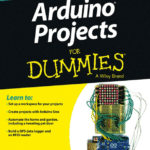
C Programming for Arduino: Learn How to Program and Use Arduino Boards with Engaging Examples for Every Core Concept
🚀 Introduction
Arduino has transformed electronics education by making embedded systems accessible to everyone—from school students to professional engineers. Instead of requiring expensive development boards or complicated programming environments, Arduino combines affordable hardware with an easy-to-use programming platform based on the C programming language.
Whether you want to build a smart home device, an industrial monitoring system, a robotic vehicle, or an IoT sensor network, understanding Arduino programming opens the door to thousands of engineering applications.
✨ In this guide, you will learn:
- 📌 What Arduino programming is
- ⚡ Why Arduino uses C/C++
- 🔧 How Arduino programs work
- 💡 Every important programming concept explained with examples
- 🤖 Practical engineering applications
- 🚀 Best coding practices
- ❌ Common mistakes beginners make
- 📊 Comparison tables
- 📚 Frequently asked questions
This article is designed for both beginners and experienced engineers looking for a complete Arduino programming reference.


Background Theory
Arduino is an open-source electronics platform that combines programmable microcontrollers with a software development environment.
At its core, every Arduino board contains a microcontroller capable of:
- Reading sensors
- Processing information
- Making logical decisions
- Controlling motors
- Operating displays
- Communicating with other devices
Unlike desktop applications, Arduino software runs directly inside the microcontroller.
This type of programming is called Embedded Programming.
The Arduino IDE converts your C/C++ code into machine language that the microcontroller understands.
Programming flow follows this cycle:
Write Code
      ↓
Compile
      ↓
Upload
      ↓
Arduino Executes Forever
This continuous execution enables Arduino to respond instantly to changing sensor values and user inputs.
Definition
Arduino programming is the process of writing C/C++ code that controls the hardware resources of an Arduino microcontroller.
The program interacts with:
- Digital inputs
- Digital outputs
- Analog sensors
- Timers
- Communication interfaces
- Displays
- Wireless modules
- External electronic components
Unlike standard C programs that end after execution, Arduino programs continuously repeat through an infinite execution loop.
Understanding the Arduino Program Structure
The Two Essential Functions
Every Arduino sketch contains two mandatory functions:
void setup()
{

}
and
void loop()
{

}
setup()
Runs only once after powering the board.
Typical tasks include:
- Initializing pins
- Starting Serial Monitor
- Initializing displays
- Configuring communication
Example:
void setup()
{
    pinMode(13, OUTPUT);
}
loop()
Runs continuously.
Everything inside loop() repeats forever.
Example:
void loop()
{
    digitalWrite(13, HIGH);
    delay(1000);

    digitalWrite(13, LOW);
    delay(1000);
}
This creates the famous blinking LED.
Step-by-Step Programming Example


Step 1 — Connect Components
Required:
- Arduino Uno
- LED
- 220Ω resistor
- Breadboard
Connections:
- LED positive → Pin 13
- LED negative → Resistor
- Resistor → GND
Step 2 — Write the Code
void setup()
{
    pinMode(13, OUTPUT);
}

void loop()
{
    digitalWrite(13, HIGH);
    delay(1000);

    digitalWrite(13, LOW);
    delay(1000);
}
Step 3 — Upload
- Connect Arduino via USB
- Open Arduino IDE
- Select Board
- Select COM Port
- Click Upload
Step 4 — Observe
The LED flashes once every second.
🎉 Congratulations!
You have created your first embedded system.
Variables and Data Types
Variables store information.
Example:
int temperature = 25;
Common data types:
| Data Type | Size | Example |
|---|---|---|
| bool | 1 byte | true |
| char | 1 byte | ‘A’ |
| byte | 1 byte | 255 |
| int | 2 bytes | 100 |
| long | 4 bytes | 500000 |
| float | 4 bytes | 25.6 |
Operators
Arithmetic:
+
-
*
/
%
Comparison:
==
!=
<
>
<=
>=
Logical:
&&
||
!
Decision Making
Example:
if(temperature > 30)
{
    digitalWrite(fan,HIGH);
}
else
{
    digitalWrite(fan,LOW);
}
The Arduino automatically turns the fan on when temperature increases.
Loops
for Loop
for(int i=0;i<10;i++)
{
    Serial.println(i);
}
while Loop
while(button==LOW)
{

}
Functions
Functions organize code.
Example:
void blink()
{
    digitalWrite(13,HIGH);
    delay(500);

    digitalWrite(13,LOW);
    delay(500);
}
Then:
void loop()
{
    blink();
}
Reading Sensors
Example using analog input:
int sensorValue;

sensorValue = analogRead(A0);
Possible values:
0 → 1023
Serial Communication
Example:
Serial.begin(9600);
Printing:
Serial.println(sensorValue);
Useful for debugging.
PWM Output
Arduino can simulate analog output.
Example:
analogWrite(9,150);
Applications:
- LED brightness
- Motor speed
- Fan control
Comparison
| Feature | Arduino Programming | Traditional C Programming |
|---|---|---|
| Runs forever | ✅ | ❌ |
| Controls hardware | ✅ | Limited |
| Uses setup() | ✅ | ❌ |
| Uses loop() | ✅ | ❌ |
| Easy hardware libraries | ✅ | ❌ |
| Beginner friendly | ⭐⭐⭐⭐⭐ | ⭐⭐ |
Arduino Workflow Diagram


| Stage | Description |
|---|---|
| Design | Plan the circuit |
| Wire | Connect hardware |
| Code | Write C program |
| Compile | Check errors |
| Upload | Send program |
| Test | Verify operation |
| Improve | Optimize project |
Practical Coding Examples
Blink LED
digitalWrite(13,HIGH);
Read Push Button
button=digitalRead(2);
Read Temperature
temperature=analogRead(A0);
Servo Motor
servo.write(90);
LCD Display
lcd.print("Hello");
Ultrasonic Sensor
distance = pulseIn(echo,HIGH);
Real-World Engineering Applications
Arduino programming powers countless engineering projects across industries.
🏠 Smart Homes
- Automatic lighting
- Smart thermostats
- Door access systems
- Energy monitoring
🚗 Automotive
- Parking sensors
- Vehicle diagnostics
- Dashboard displays
🏭 Industrial Automation
- Conveyor systems
- Process monitoring
- Data logging
- Machine control
🌾 Agriculture
- Soil moisture monitoring
- Smart irrigation
- Greenhouse automation
🏥 Medical
- Health monitoring
- Wearable devices
- Pulse sensors
🤖 Robotics
- Obstacle avoidance
- Autonomous navigation
- Line-following robots
- Robotic arms
🌍 Internet of Things (IoT)
- Cloud-connected sensors
- Weather stations
- Smart cities
- Remote monitoring
Common Mistakes
❌ Forgetting pinMode()
Pins remain unconfigured.
❌ Missing semicolon
int x = 5
Should be:
int x = 5;
❌ Incorrect braces
Always match opening and closing braces.
❌ Wrong pin numbers
Double-check hardware connections.
❌ Using delay() excessively
Long delays make programs unresponsive.
❌ Ignoring Serial Monitor
Debugging becomes much harder.
Challenges and Solutions
| Challenge | Solution |
|---|---|
| Compilation errors | Read error messages carefully |
| Wrong wiring | Verify circuit connections |
| Sensor noise | Add filtering techniques |
| Memory limitations | Optimize variables |
| Timing issues | Use millis() instead of long delay() calls |
| Power instability | Use regulated power supplies |
Engineering Case Study
Smart Greenhouse Controller 🌱
Objective
Maintain ideal environmental conditions automatically.
Components
- Arduino Uno
- Temperature sensor
- Humidity sensor
- Soil moisture sensor
- Water pump
- LCD
- Relay module
Program Logic
- Read sensors
- Compare values
- Activate irrigation
- Control ventilation
- Display readings
- Repeat continuously
Benefits
✅ Higher crop yield
✅ Reduced water usage
🚀 Lower maintenance
✅ Automated monitoring
Essential Programming Tips
💡 Comment your code.
// Read temperature sensor
💡 Use meaningful variable names.
Good:
roomTemperature
Bad:
x
💡 Keep functions short.
💡 Test one feature at a time.
🚀 Save project versions.
💡 Organize libraries.
💡 Avoid unnecessary delays.
🚀 Debug frequently using Serial Monitor.
💡 Use constants.
Example:
const int ledPin = 13;
💡 Practice by building real projects.
Experience is the fastest teacher.
Frequently Asked Questions
Is Arduino programmed using C?
Yes. Arduino uses a simplified version of C++ built upon the C language, making it ideal for embedded systems.
Is Arduino suitable for beginners?
Absolutely. Arduino was designed for education and rapid prototyping, making it one of the easiest embedded platforms to learn.
Can professionals use Arduino?
Yes. Many engineers use Arduino for proof-of-concept development, laboratory testing, automation, robotics, and educational research.
Which Arduino board should beginners buy?
The Arduino Uno is the most recommended board due to its extensive documentation, large community, and broad compatibility with sensors and shields.
How long does it take to learn Arduino programming?
With regular practice, beginners can understand the fundamentals in a few weeks. Building increasingly complex projects over several months develops confidence and advanced skills.
Is C knowledge required before learning Arduino?
No. Basic programming concepts can be learned alongside Arduino, although prior experience with C makes the learning process faster.
Can Arduino connect to the Internet?
Yes. By using Wi-Fi, Ethernet, GSM, or Bluetooth modules, Arduino can communicate with cloud platforms, mobile apps, and other networked devices.
Conclusion
Arduino programming provides one of the most approachable paths into embedded systems, electronics, and automation. By combining the efficiency of C/C++ with an intuitive development environment, it enables learners and professionals alike to create everything from simple LED blink projects to sophisticated IoT networks, robotic systems, and industrial controllers.
Mastering core concepts such as variables, control structures, functions, sensor interfacing, serial communication, and pulse-width modulation establishes a solid foundation for advanced embedded development. Consistent practice, organized coding habits, and hands-on experimentation are the keys to becoming proficient.
Whether your goal is to build innovative personal projects, excel in engineering education, or prototype commercial products, Arduino offers a versatile platform to turn ideas into working solutions. Start with simple circuits, expand your programming skills step by step, and you’ll be well prepared to tackle real-world engineering challenges with confidence.