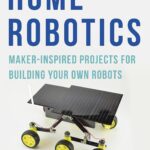
Robot Builder’s Bonanza: A Complete Guide to Designing, Building, and Programming Robots
Introduction 🤖⚙️
Robotics brings together mechanical engineering, electronics, computer science, control systems, and intelligent software in one exciting discipline. A robot may look simple from the outside, but behind its movement is a carefully coordinated system of structures, sensors, actuators, controllers, power electronics, and software.
Robot Builder’s Bonanza represents the complete journey of turning an idea into a functional robotic machine. Whether you are a student constructing your first mobile robot or an engineer developing an autonomous industrial platform, the same fundamental principles apply: define the mission, select appropriate hardware, integrate the subsystems, program the controller, test the machine, and continuously improve it.


The most valuable lesson in robotics is that successful robots are rarely created by simply connecting components together. Good robot design begins with engineering requirements. A robot designed to transport materials inside a warehouse has very different requirements from a robotic arm used in manufacturing or a small educational rover.
This article explores the complete robot-building process, from fundamental theory to practical implementation, common mistakes, real-world applications, and an engineering case study. 🚀
Background Theory
How a Robot System Works
A robot can be considered an engineered system containing several interconnected layers:
- Mechanical structure 🦾 — provides physical strength and movement.
- Actuators ⚙️ — create motion.
- Sensors 👁️ — collect information about the environment.
- Controller 🧠 — processes information and makes decisions.
- Power system 🔋 — supplies electrical energy.
- Software 💻 — defines behavior and control logic.
- Communication system 📡 — allows components or robots to exchange information.
The interaction between these components creates a feedback loop.
A sensor detects the environment → the controller interprets the information → the controller commands an actuator → the robot moves → sensors measure the new condition.
This cycle can occur many times per second.
Open-Loop and Closed-Loop Robots
An open-loop robot performs an action without checking whether the expected result actually occurred.
For example, a motor may be instructed to rotate for a particular period. The controller assumes that the robot has moved correctly.
A closed-loop system is more sophisticated. Sensors continuously provide feedback, allowing the controller to compare the desired behavior with the actual behavior.
Closed-loop control is especially important when accuracy, stability, and repeatability matter.
Mechanical, Electrical, and Software Integration
A common beginner mistake is treating robotics as an electronics project only.
In reality:
Mechanical design + Electronics + Control + Software = Integrated Robotics System
A powerful motor is useless if the mechanical structure cannot handle its torque. A sophisticated sensor is ineffective if the controller cannot process its data. Excellent software cannot compensate for an inadequate power supply.
Robotics is therefore an integration discipline.
Definition
What Is Robot Builder’s Bonanza?
Robot Builder’s Bonanza can be understood as a practical engineering approach to exploring the complete robot-building ecosystem—from choosing components and constructing mechanical systems to programming, sensing, testing, and deployment.
It is not limited to one type of robot.
The same methodology can be applied to:
- Wheeled mobile robots
- Robotic arms
- Autonomous vehicles
- Educational robots
- Inspection robots
- Warehouse robots
- Agricultural robots
- Search-and-rescue robots
- Underwater robots
- Collaborative robots
- AI-enabled robots
Core Building Blocks
1. Frame
The frame provides the robot’s physical foundation. Aluminum, steel, engineering plastics, carbon-fiber composites, and 3D-printed materials can all be used depending on requirements.
2. Motors and Actuators
Motors convert electrical energy into mechanical motion. Common options include DC motors, geared motors, servo motors, and stepper motors.
3. Sensors
Sensors allow a robot to perceive its surroundings.
Examples include:
- Ultrasonic sensors
- Infrared sensors
- Cameras
- Encoders
- LiDAR
- Accelerometers
- Gyroscopes
- Force sensors
- Temperature sensors
4. Controller
The controller acts as the robot’s decision-making center. Depending on complexity, it could be a microcontroller, single-board computer, industrial controller, or distributed computing platform.
5. Power System
Batteries, voltage regulators, power distribution boards, motor drivers, and protection circuits form the energy infrastructure.
6. Software
Software transforms hardware into behavior. It can handle sensor processing, motion control, navigation, communication, diagnostics, and artificial intelligence.
Step-by-Step Robot Building Process 🛠️
Step 1: Define the Mission
Before purchasing components, determine what the robot must accomplish.
Ask:
- What environment will it operate in?
- Does it need wheels, tracks, legs, or an arm?
- How much weight must it carry?
- How fast should it move?
- Does it need autonomy?
- How long should it operate?
- What safety requirements exist?
A clearly defined mission prevents unnecessary complexity.
Step 2: Create the System Architecture
Divide the robot into functional blocks.
A basic mobile robot might contain:
Battery → Power Management → Controller → Motor Driver → Motors
while sensors connect to the controller and provide environmental feedback.


This architecture helps engineers understand how individual components interact before physical construction begins.
Step 3: Select the Mechanical Platform
Choose the physical configuration according to the mission.
A two-wheel differential-drive robot is relatively simple and suitable for education and indoor experimentation.
A four-wheel platform can provide greater stability.
Tracked robots are useful on uneven terrain, while articulated robots are appropriate for manipulation tasks.
Step 4: Select Motors and Drivers
Motor selection depends on load, speed, operating environment, efficiency, and available power.
The motor driver must also be compatible with the motor and controller.
Do not select a motor simply because its advertised speed appears impressive. The actual engineering requirement involves the complete mechanical system.
Step 5: Install Sensors
Sensors should be positioned according to what the robot needs to perceive.
For example:
- Front distance sensors can detect obstacles.
- Wheel encoders can monitor movement.
- Cameras can support visual recognition.
- Inertial sensors can provide orientation information.
- Force sensors can detect physical interaction.
Sensor placement is often as important as sensor selection.
Step 6: Build the Electrical System
Create a clean electrical architecture.
Use appropriate:
- Wiring
- Connectors
- Fuses
- Voltage regulators
- Motor drivers
- Grounding arrangements
- Power distribution
- Protection mechanisms
Keep high-current motor wiring separated from sensitive signal wiring where practical.
Step 7: Program the Controller
Start with simple software.
A sensible development sequence is:
Read sensor → Verify sensor → Control one actuator → Combine sensors and actuators → Add behavior → Add autonomy
Trying to implement everything simultaneously makes debugging extremely difficult.
Step 8: Test One Subsystem at a Time
Test the robot systematically.
First test the power system.
Then test individual sensors.
Next test motor control.
After that, combine subsystems.
Finally, test complete autonomous behavior.
This approach allows engineers to isolate failures much faster.
Step 9: Improve the Design
The first prototype is rarely the final design.
Evaluate:
- Battery life
- Motor temperature
- Structural strength
- Sensor reliability
- Software stability
- Communication range
- Operating speed
- Safety
Then modify the design based on measured performance.
Comparison: Different Robot Platforms
| Robot Type | Main Advantage | Typical Challenge | Suitable Applications |
|---|---|---|---|
| Wheeled Robot | Simple and efficient | Limited terrain capability | Education, logistics |
| Tracked Robot | Excellent terrain capability | Higher mechanical complexity | Inspection, rescue |
| Robotic Arm | Precise manipulation | Requires careful control | Manufacturing |
| Legged Robot | Handles complex terrain | Difficult control | Exploration |
| Drone | Excellent aerial mobility | Battery and stability limitations | Inspection, mapping |
| Autonomous Vehicle | High mobility | Complex perception | Transportation |


The “best” robot does not exist independently of its application. A wheeled robot may outperform a legged robot in a warehouse because wheels are mechanically efficient, while legs may be better for stairs or rough outdoor terrain.
Diagrams, Tables, and Engineering Architecture 📊
Basic Robot Control Architecture
A simplified robotic system can be visualized as:
Environment → Sensors → Controller → Actuators → Robot Motion → Environment
The resulting motion changes the environment observed by the sensors, creating a feedback cycle.
Robot Subsystem Table
| Subsystem | Function | Example Components |
|---|---|---|
| Mechanical | Supports and moves hardware | Frame, gears, wheels |
| Electrical | Distributes energy | Battery, regulator |
| Sensing | Observes conditions | Camera, encoder |
| Computing | Processes information | MCU, computer |
| Actuation | Produces motion | Motor, servo |
| Communication | Exchanges data | Wi-Fi, Bluetooth |
| Software | Controls behavior | Firmware, algorithms |
Prototype Development Flow
Idea 💡 → Requirements 📋 → Design 📐 → Components 🔧 → Assembly 🛠️ → Programming 💻 → Testing 🧪 → Optimization 🚀
This sequence is useful because it transforms an exciting idea into a structured engineering project.
Examples
Example 1: Obstacle-Avoiding Rover
Imagine a small educational rover designed to navigate a room.
Its front sensor detects an obstacle. The controller receives the sensor information and instructs the motors to stop. The robot then changes direction and continues moving.
The important engineering concept is not the individual sensor or motor. It is the interaction between perception, decision-making, and motion.
Example 2: Automated Robotic Arm
Consider a robotic arm used to move components between two locations.
A position sensor can determine where the arm is located, while the controller coordinates multiple motors.
The system can repeat the same movement thousands of times, provided that mechanical tolerances, calibration, control software, and maintenance are properly managed.
Example 3: Autonomous Inspection Robot
An inspection robot may travel through a large industrial facility while collecting images and environmental measurements.
Instead of simply following a predefined movement pattern, it can use sensors to detect obstacles and adapt its route.
This illustrates the transition from basic automation toward intelligent robotics.
Real-World Applications 🌍
Manufacturing
Industrial robots perform welding, assembly, painting, packaging, inspection, and material handling.
Their greatest advantages are repeatability, speed, and the ability to operate continuously in controlled environments.
Warehousing and Logistics
Autonomous mobile robots can transport goods between storage locations and workstations.
Navigation, obstacle detection, fleet coordination, and battery management become important engineering challenges.
Healthcare
Robotic systems can support rehabilitation, laboratory automation, surgery, logistics, and patient assistance.
Healthcare robotics places particularly high demands on reliability, safety, human interaction, and regulatory compliance.
Agriculture
Robots can support:
- Crop monitoring
- Precision spraying
- Automated harvesting
- Weed detection
- Soil analysis
- Autonomous transportation
Agricultural robots must often operate outdoors, where lighting, weather, terrain, and dust can change dramatically.
Infrastructure Inspection
Robots can inspect bridges, pipelines, industrial equipment, tunnels, and other infrastructure.
This reduces the need to expose humans to dangerous or difficult environments.
Education and Research 🎓
Educational robotics platforms allow students to experiment with mechanical design, electronics, programming, control theory, and artificial intelligence.
For engineering students, a small robot can function as a miniature systems-engineering laboratory.
Common Mistakes 🚧
Choosing Components Before Defining Requirements
Buying motors, sensors, and controllers first can result in incompatible or unnecessary hardware.
Better approach: define the robot’s mission and operating conditions first.
Underestimating Power Requirements
Motors can consume substantially more current during startup, acceleration, or heavy loads.
Solution: design the power system around realistic operating conditions rather than nominal values alone.
Poor Wiring
Loose connections and poorly organized cables can cause intermittent failures that are difficult to diagnose.
Solution: use appropriate connectors, strain relief, labels, and organized cable routing.
Ignoring Mechanical Alignment
A robot can have excellent software but still perform poorly because wheels, gears, shafts, or joints are misaligned.
Solution: inspect mechanical alignment before debugging software.
Testing Everything at Once
When multiple systems are introduced simultaneously, identifying the cause of a failure becomes difficult.
Solution: test subsystems independently before integration.
Making the First Prototype Too Complex
Beginners sometimes attempt autonomous navigation, computer vision, voice recognition, robotic arms, and wireless control in their first build.
Solution: start with a minimum viable robot and add capabilities incrementally.
Challenges & Solutions
| Challenge | Cause | Engineering Solution |
|---|---|---|
| Short battery life | Excessive power consumption | Improve power architecture |
| Unstable movement | Mechanical imbalance | Improve chassis and wheel alignment |
| Sensor errors | Noise or poor positioning | Filter data and reposition sensors |
| Motor overheating | Excessive load | Select suitable motors and improve cooling |
| Software crashes | Poor error handling | Add diagnostics and fault recovery |
| Communication loss | Interference or weak signal | Improve antenna placement and protocols |
| Unexpected motion | Control logic problems | Add safety states and emergency stop |
Reliability Challenge
A robot that works once is a prototype.
A robot that works repeatedly under expected conditions is an engineered system.
Professional robotics therefore requires validation, fault detection, preventive maintenance, and controlled testing.
Case Study: Designing a Warehouse Mobile Robot 📦🤖
Consider a hypothetical warehouse robot whose task is to transport small containers between storage shelves and a packing station.
Requirement Definition
The robot must:
- Move indoors.
- Carry a defined payload.
- Avoid people and obstacles.
- Operate for extended periods.
- Navigate between designated locations.
- Stop safely when an unexpected obstacle appears.
Mechanical Design
A compact wheeled platform is selected because the warehouse has smooth flooring.
The chassis is designed to position heavy components low in the structure, improving stability.
Sensor System
The robot uses a combination of distance sensing, wheel-position feedback, and environmental perception.
No single sensor is expected to solve every navigation problem.
Control System
A central controller receives sensor information and coordinates the drive motors.
Safety logic has higher priority than normal navigation commands. If the robot detects an unsafe condition, movement is stopped or reduced.
Software Development
Engineers first test basic movement.
Next, they verify obstacle detection.
Then they combine movement and sensing.
Finally, navigation behavior is introduced.
This staged approach reduces debugging complexity.
Testing
The robot is tested under different conditions:
Empty floor → Light payload → Full payload → Obstacles → Human interaction → Extended operation
The engineering team records failures and modifies the design.
Result
The hypothetical project demonstrates an important robotics principle:
Reliable autonomy comes from integrating many relatively simple engineering functions correctly.
Essential Tips for Robot Builders ⭐
Start Small
Your first robot does not need artificial intelligence, advanced vision, and autonomous mapping.
A simple robot that works reliably teaches more than a complicated robot that constantly fails.
Design for Maintenance
Use accessible connectors and replaceable modules.
Professional robots are designed so engineers can inspect, repair, and replace components efficiently.
Keep Documentation
Record:
- Component specifications
- Wiring diagrams
- Software versions
- Sensor configurations
- Test results
- Known problems
- Design changes
Good documentation becomes extremely valuable as the project grows.
Build Safety Into the Architecture
Consider emergency stops, current protection, safe startup behavior, mechanical limits, and software fault handling.
A robot should never assume that everything will work perfectly.
Measure Performance
Do not rely only on visual impressions.
Measure operating time, speed, temperature, sensor reliability, positioning accuracy, and failure frequency where appropriate.
Think Like a Systems Engineer
Always ask:
“How does changing this component affect the rest of the robot?”
Increasing motor power, for example, may require changes to the battery, motor driver, wiring, chassis, cooling, and software.
Frequently Asked Questions ❓
What is the best robot for a beginner?
A small wheeled robot is usually an excellent starting point because its mechanical structure and control requirements are relatively straightforward.
Do I need advanced programming to build a robot?
No. Beginners can start with basic programming concepts such as variables, conditions, loops, functions, and sensor reading. More advanced robots can later incorporate sophisticated algorithms and AI.
Which sensors are most useful for robotics?
There is no universal best sensor. The correct choice depends on the task. Distance sensors, encoders, cameras, inertial sensors, and force sensors each solve different engineering problems.
Is mechanical engineering important in robotics?
Absolutely. Robotics is multidisciplinary. Mechanical strength, weight, friction, alignment, thermal behavior, and manufacturing tolerances can strongly affect robot performance.
Can artificial intelligence be added to a basic robot?
Yes. A robot can use AI for computer vision, object recognition, speech interaction, navigation, prediction, or decision-making. However, AI should solve a genuine system requirement rather than simply being added for complexity.
Why do robot prototypes often fail?
Common causes include inadequate power systems, poor mechanical design, incompatible components, sensor noise, software bugs, insufficient testing, and unclear requirements.
How can I make a robot more reliable?
Use modular design, test individual subsystems, protect electrical components, monitor temperatures and power consumption, implement fault handling, and document every major design decision.
What skills are useful for professional robotics?
Useful skills include mechanical CAD, electronics, embedded programming, control systems, sensor integration, computer vision, mathematics, simulation, communication protocols, and systems engineering.
Conclusion 🚀
Robot Builder’s Bonanza is ultimately about much more than assembling motors, sensors, and controllers. It represents the engineering mindset required to transform an idea into a dependable robotic system.
The process begins with a clear mission and proceeds through requirements, mechanical design, electronics, sensing, control, programming, testing, and optimization. Each subsystem must work individually, but the greatest engineering challenge is making all of them work together.
For beginners, the best strategy is to start with a simple robot and progressively add capabilities. For professionals, the focus shifts toward reliability, scalability, safety, maintainability, energy efficiency, and performance.
The future of robotics will increasingly combine advanced sensing, autonomous navigation, artificial intelligence, cloud connectivity, edge computing, and collaborative human-machine interaction. Yet the fundamental engineering principles remain the same.
Design carefully. Build systematically. Test continuously. Improve relentlessly. 🤖⚙️🚀
That is the real spirit of a Robot Builder’s Bonanza.