🚀 Arduino for Arduinians: Advanced Arduino Engineering Guide: 70 Innovative Projects for Experienced Programmers
🌟 Introduction
Arduino has evolved from a simple educational microcontroller platform into a powerful engineering tool used by professionals, researchers, and advanced hobbyists worldwide. Initially designed to help students learn electronics and programming easily, Arduino has now become a central component in embedded systems development, robotics, Internet of Things (IoT), automation systems, and experimental engineering projects.
For experienced programmers, Arduino opens the door to a vast world of hardware interaction and real-time control systems. By combining programming expertise with electronics knowledge, developers can create intelligent devices capable of sensing, analyzing, and responding to environmental changes.
The concept behind “Arduino for Arduinians: 70 Projects for the Experienced Programmer” is to challenge advanced developers with projects that push beyond simple LED blinking or sensor reading. These projects involve real engineering principles such as communication protocols, advanced sensor integration, robotics control systems, signal processing, and energy management.
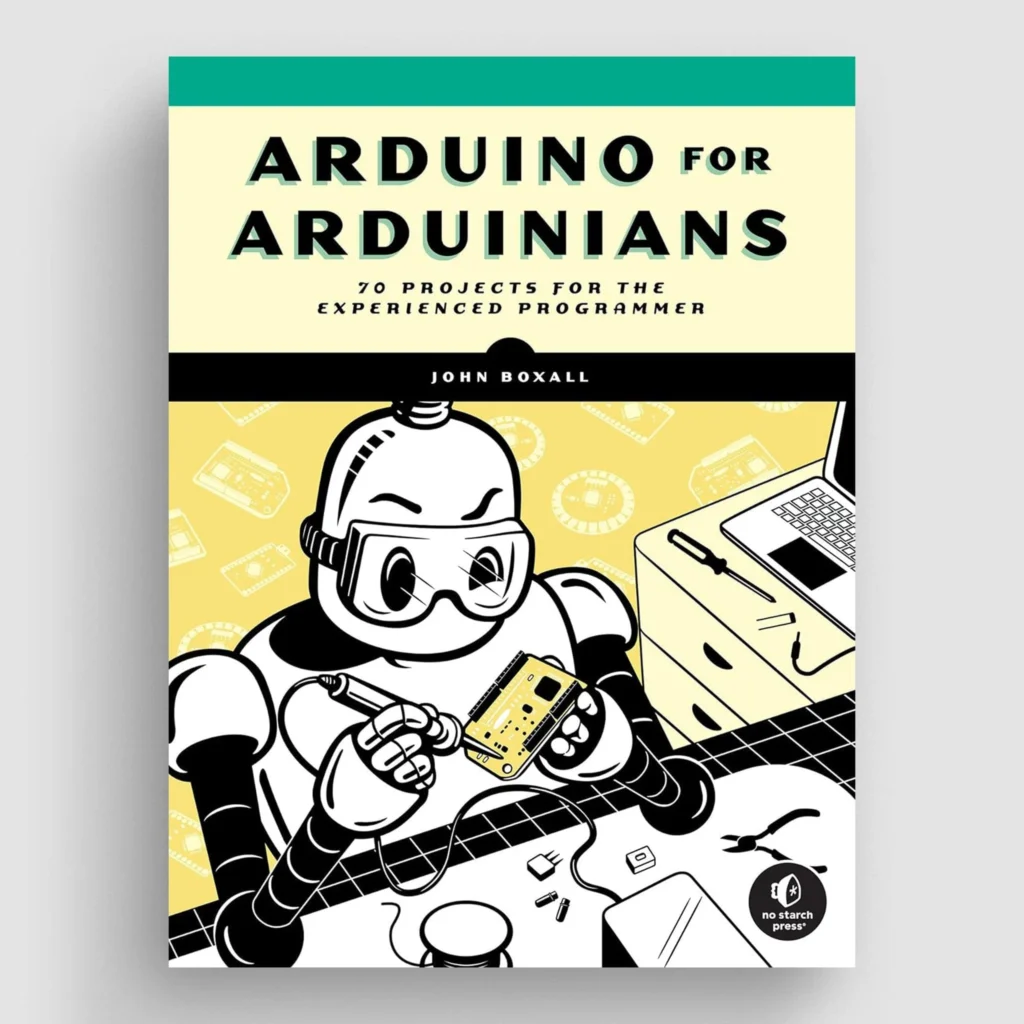
This article serves as a complete engineering-level exploration of advanced Arduino applications. It explains the theory behind microcontroller systems, describes how advanced projects are structured, and demonstrates how experienced programmers can design complex embedded solutions.
Whether you are an engineering student, a robotics enthusiast, or a professional developer working in embedded systems, this guide will provide practical insights into designing sophisticated Arduino-based projects.
🔬 Background Theory
To understand advanced Arduino projects, engineers must understand the underlying theoretical concepts behind embedded systems and microcontroller architecture.
Microcontroller Fundamentals
A microcontroller is essentially a small computer integrated into a single chip. It typically contains:
- Central Processing Unit (CPU)
- Memory (Flash, SRAM, EEPROM)
- Input/Output pins
- Communication interfaces
- Timers and interrupt systems
Arduino boards such as the Arduino Uno are built around microcontrollers like the ATmega328P.
These chips are capable of performing real-time processing, which means they can respond to input signals immediately without operating system overhead.
Embedded Systems Theory
An embedded system is a computing unit designed to perform a dedicated function within a larger system. Unlike general-purpose computers, embedded systems are optimized for efficiency, reliability, and power consumption.
Key characteristics include:
- Deterministic behavior
- Hardware-level programming
- Real-time response
- Limited resources
Arduino simplifies embedded system design by providing preconfigured hardware and easy-to-use software libraries.
Digital vs Analog Signals
Most advanced Arduino projects involve both digital and analog signals.
Digital signals:
- Represented by binary states (0 or 1)
- Used for switches, digital sensors, and communication protocols
Analog signals:
- Continuous values
- Used for temperature sensors, microphones, light sensors, and other environmental inputs
Arduino converts analog signals into digital values using an Analog-to-Digital Converter (ADC).
Communication Protocols
Advanced Arduino projects often require communication between devices.
Common protocols include:
| Protocol | Type | Speed | Use Case |
|---|---|---|---|
| UART | Serial | Medium | PC communication |
| I2C | Bus | Medium | Sensor networks |
| SPI | Bus | Fast | Displays, memory |
| CAN | Network | High reliability | Automotive systems |
Understanding these protocols is essential for designing scalable embedded systems.
⚙️ Technical Definition
In engineering terms, Arduino-based advanced systems can be defined as:
A microcontroller-driven embedded development platform designed to implement programmable hardware control systems, sensor interfaces, and real-time automation tasks.
These systems typically include:
Hardware components:
- Microcontroller board
- Sensors
- Actuators
- Communication modules
Software components:
- Embedded firmware
- Control algorithms
- Signal processing routines
Advanced Arduino programmers often work with:
- Real-time interrupt handling
- Memory optimization
- Hardware abstraction layers
- Custom libraries
Such skills enable the development of professional-grade embedded solutions.
🧠 Step-by-Step Explanation of Advanced Arduino Project Development
Developing an advanced Arduino project follows a structured engineering workflow.
Step 1: Problem Identification
The first step is defining the purpose of the system.
Example problems:
- Smart irrigation system
- Autonomous robot
- Environmental monitoring station
- Industrial sensor network
Clear problem definition determines system requirements.
Step 2: Hardware Selection
Selecting the appropriate components is critical.
Typical hardware choices include:
Microcontroller boards:
- 🚀Arduino Uno
- Arduino Mega
- Arduino Nano
- ESP32
Sensors:
- Temperature sensors
- Motion detectors
- Gas sensors
- Ultrasonic sensors
Actuators:
- Motors
- Relays
- Servos
- LEDs
Step 3: System Architecture Design
Engineers must design the interaction between hardware components.
Architecture usually includes:
Input Layer
- Sensors collecting data
Processing Layer
- Microcontroller running algorithms
Output Layer
- Motors, displays, alarms
A block diagram is often used during this stage.
Step 4: Firmware Development
Programming is performed using the Arduino IDE.
Typical structure:
{
Initialize sensors
Initialize communication
Configure pins
}
loop()
{
Read sensors
Process data
Execute control algorithm
Update outputs
}
Advanced projects often include:
- Interrupt routines
- multitasking techniques
- real-time scheduling
Step 5: Testing and Debugging
Engineers test:
- Hardware connections
- Signal reliability
- Power consumption
- Program logic
Debugging tools include:
- Serial monitor
- Logic analyzer
- Oscilloscope
Step 6: Optimization
Advanced programmers optimize for:
- CPU usage
- Memory consumption
- Response time
- Power efficiency
🔍 Comparison: Arduino vs Other Embedded Platforms
| Feature | Arduino | Raspberry Pi | STM32 |
|---|---|---|---|
| Type | Microcontroller | Single-board computer | Microcontroller |
| OS | None | Linux | None |
| Real-time capability | High | Medium | High |
| Learning curve | Easy | Medium | Advanced |
| Cost | Low | Medium | Medium |
| Power consumption | Very low | Higher | Low |
Arduino remains ideal for real-time control systems and hardware experimentation.
📊 Diagrams & Tables
Basic Arduino System Architecture
↓
Communication
↓
Computer
Typical Project Components
| Component | Function |
|---|---|
| Microcontroller | System control |
| Sensor | Data collection |
| Actuator | Physical action |
| Power module | Energy supply |
| Communication module | Data exchange |
💡 Examples of Advanced Arduino Projects
Here are examples inspired by the concept of 70 advanced projects.
Smart Home Automation System
Features:
- WiFi control
- voice assistant integration
- energy monitoring
- automated lighting
Autonomous Obstacle Avoiding Robot
Components:
- ultrasonic sensors
- motor drivers
- DC motors
- navigation algorithm
Weather Monitoring Station
Sensors used:
- humidity
- temperature
- atmospheric pressure
- UV radiation
Data is transmitted to a cloud server.
Smart Irrigation System
Uses:
- soil moisture sensors
- weather prediction data
- automated water valves
This reduces water consumption significantly.
Gesture Controlled Robot
A wearable motion sensor controls robotic movement.
Used technologies:
- accelerometers
- wireless communication
- servo motors
🌍 Real World Applications
Advanced Arduino systems are used in many industries.
Industrial Automation
Arduino-based controllers can operate:
- conveyor systems
- robotic arms
- machine monitoring systems
Environmental Monitoring
Researchers deploy Arduino sensors to measure:
- air pollution
- water quality
- temperature trends
Agriculture Technology
Smart farming uses Arduino for:
- irrigation control
- crop monitoring
- soil health analysis
Medical Devices
Arduino prototypes are used in:
- heart rate monitors
- wearable health trackers
- patient monitoring systems
Smart Cities
Urban engineering systems include:
- traffic monitoring
- smart lighting
- environmental sensors
⚠️ Common Mistakes
Even experienced programmers make errors when transitioning to hardware development.
Ignoring Electrical Limitations
Microcontrollers have strict current and voltage limits.
Exceeding them may destroy the board.
Poor Power Management
Many projects fail because engineers underestimate power requirements.
Lack of Hardware Protection
Protection components such as resistors, diodes, and capacitors are essential.
Inefficient Code
Using blocking functions like delay() can cause system lag.
Insufficient Testing
Hardware systems require extensive testing under different conditions.
🧩 Challenges & Solutions
Challenge 1: Memory Constraints
Arduino boards have limited RAM.
Solution:
- optimize variables
- use program memory efficiently
Challenge 2: Real-time Performance
Time-critical systems must respond instantly.
Solution:
- use interrupts
- minimize loop delays
Challenge 3: Sensor Noise
Analog sensors produce noisy signals.
Solution:
- apply filtering algorithms
- use averaging methods
Challenge 4: Hardware Integration
Multiple modules may conflict.
Solution:
- verify pin usage
- check communication protocols
📚 Case Study: Smart Greenhouse Monitoring System
Objective
Design an automated greenhouse system using Arduino.
System Components
- Arduino Mega
- temperature sensor
- humidity sensor
- soil moisture sensors
- ventilation fans
- irrigation valves
System Operation
- Sensors measure environmental conditions.
- Arduino processes data.
- Control algorithm determines required actions.
- Fans or irrigation activate automatically.
Results
Benefits include:
- optimized plant growth
- reduced water waste
- automated climate control
This demonstrates how Arduino can support sustainable agriculture engineering.
🛠 Tips for Engineers
- Always prototype on breadboards first.
- Document wiring and software architecture.
- Use modular code for large projects.
- Test sensors individually before integration.
- Use version control for firmware.
- Monitor power consumption.
- Use interrupts for time-sensitive tasks.
❓ FAQs
1. Is Arduino suitable for professional engineering projects?
Yes. Many prototypes and industrial monitoring systems use Arduino platforms due to their flexibility and low cost.
2. What programming language is used for Arduino?
Arduino uses a simplified version of C++ for embedded programming.
3. How many sensors can Arduino support?
It depends on the board type and communication protocols used. Using I2C or SPI allows multiple sensors.
4. Can Arduino be used for IoT systems?
Yes. By integrating WiFi or Ethernet modules, Arduino devices can communicate with cloud platforms.
5. What is the best Arduino board for complex projects?
Boards with larger memory such as Arduino Mega or ESP32-based boards are suitable.
6. How can engineers improve Arduino performance?
By optimizing code, minimizing delays, and using efficient memory management.
7. Are Arduino projects scalable?
Yes. Systems can be expanded using additional modules and microcontrollers.
🎯 Conclusion
Arduino has grown from a beginner-friendly development board into a powerful engineering platform capable of supporting advanced embedded systems.
Through complex projects such as robotics, automation, environmental monitoring, and smart infrastructure, experienced programmers can transform Arduino into a sophisticated engineering tool.
The concept of “70 projects for experienced programmers” reflects the vast potential of Arduino-based innovation. Each project encourages engineers to integrate programming, electronics, system design, and problem-solving skills.
For students, Arduino provides a practical gateway into embedded engineering. For professionals, it offers a rapid prototyping environment for testing new ideas.
As technology continues to evolve with IoT, artificial intelligence, and smart infrastructure, Arduino will remain a vital platform for experimentation, innovation, and engineering education.
The future of engineering is increasingly connected, intelligent, and automated—and Arduino stands as one of the most accessible tools for building that future. 🚀