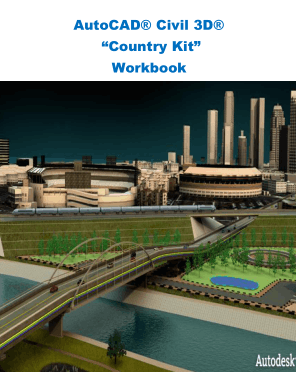
🚧 New AutoCAD Civil 3D: A Complete Engineering Guide for Modern Infrastructure Design (2026 Edition)
🧭 Introduction 🌍
In today’s fast-paced infrastructure and construction industry, digital engineering tools are no longer optional—they are essential. Among these tools, AutoCAD Civil 3D stands out as one of the most powerful and widely used software solutions for civil engineering design and documentation.
With the new versions of AutoCAD Civil 3D, Autodesk has taken a major leap forward by improving automation, data-driven design, collaboration, and performance. Whether you are a civil engineering student, a junior designer, or a senior professional working on large-scale projects, understanding the new capabilities of Civil 3D is critical for staying competitive in the USA, UK, Canada, Australia, and Europe.
This article is a 100% original, in-depth engineering guide designed for both beginners and advanced users. It explains not only what’s new in AutoCAD Civil 3D, but also how and why these features are used in real engineering projects.
🧠 Background Theory 📐
Before diving into the new features, it is important to understand the engineering philosophy behind AutoCAD Civil 3D.
🔹 What Makes Civil 3D Different?
Unlike traditional CAD software that focuses only on drafting, Civil 3D is a model-based design platform. This means:
Designs are dynamic, not static
Objects are intelligent and connected
Changes in one element automatically update related components
🔹 Engineering Concepts Behind Civil 3D
Civil 3D is built on several core civil engineering principles:
Surface Modeling (TIN-based terrain representation)
Horizontal and Vertical Alignment Geometry
Profile and Cross-Section Design
Corridor Modeling
Earthwork Quantity Analysis
Drainage and Pipe Network Design
The new versions enhance these principles by adding automation, cloud connectivity, and better data interoperability.
🧩 Technical Definition ⚙️
📘 What Is the New AutoCAD Civil 3D?
AutoCAD Civil 3D is a civil infrastructure design and documentation software developed by Autodesk. It supports BIM (Building Information Modeling) workflows for civil projects such as:
Roads and highways
Railways
Land development
Airports
Drainage and utilities
👉 The new AutoCAD Civil 3D refers to the latest releases that introduce:
Smarter object behaviors
Faster performance
Improved collaboration tools
Enhanced analysis and reporting
🛠️ Step-by-Step Explanation 🧱
Let’s walk through how engineers typically use the new AutoCAD Civil 3D workflow, step by step.
🥇 Step 1: Project Setup & Coordinate Systems
Define project units and standards
Assign correct coordinate systems (critical for GIS and survey data)
Use templates compliant with US, UK, or EU standards
🥈 Step 2: Import Survey & Terrain Data
Import point files, LiDAR, or GIS data
Create existing ground surfaces
Use new surface editing and validation tools
🥉 Step 3: Alignment & Profile Creation
Design horizontal alignments with geometric rules
Generate profiles automatically from surfaces
Apply design criteria checks (speed, curvature, safety)
🏅 Step 4: Corridor Modeling
Assemble corridors using assemblies and subassemblies
Apply target mapping
Use new corridor performance improvements
🏆 Step 5: Quantities, Sections & Documentation
Generate cross-sections
Calculate cut/fill volumes
Produce construction-ready drawings automatically
⚖️ Comparison: Old vs New AutoCAD Civil 3D 🔄
| Feature | Older Versions | New Civil 3D |
|---|---|---|
| Performance | Slower with large files | Optimized & faster |
| Automation | Limited | Advanced rule-based |
| Collaboration | File-based | Cloud & data shortcuts |
| Interoperability | Basic | Strong BIM & GIS links |
| User Interface | Traditional | Modern & customizable |
🧪 Detailed Examples 📊
🛣️ Example 1: Road Design Project
An engineer designs a 2 km urban road:
Imports survey data
Creates alignments and profiles
Uses automatic superelevation
Corridor updates instantly when alignment changes
🏘️ Example 2: Land Development Site
For a residential project:
Existing and proposed surfaces are created
Lot grading tools generate pads automatically
Earthwork volumes are calculated in minutes
🌐 Real-World Applications in Modern Projects 🏗️
The new AutoCAD Civil 3D is actively used in:
🚦 Transportation Infrastructure
Highways (USA & Canada)
Motorways (UK & Europe)
Smart road projects with BIM integration
💧 Water & Drainage Systems
Stormwater analysis
Gravity and pressure pipe networks
Climate-resilient drainage design
🏙️ Urban Development
Smart cities
Sustainable land planning
Integration with environmental data
❌ Common Mistakes Engineers Make ⚠️
Ignoring coordinate systems
Over-editing surfaces manually
Poor template management
Not using data shortcuts properly
Treating Civil 3D like simple AutoCAD
🧗 Challenges & Solutions 🛠️
🚧 Challenge 1: Steep Learning Curve
Solution: Start with templates and guided workflows
🚧 Challenge 2: Large File Sizes
Solution: Use data shortcuts and surface references
🚧 Challenge 3: Collaboration Issues
Solution: Implement BIM and cloud-based standards
📚 Case Study: Highway Expansion Project 🛣️
📍 Project Overview
Location: North America
Length: 12 km highway expansion
Team: 25 engineers
🧠 Civil 3D Role
Corridor modeling
Phasing and design alternatives
Automated quantity takeoffs
🎯 Results
30% design time reduction
Fewer construction conflicts
Improved client approvals
💡 Tips for Engineers 👷♂️
📌 Master templates early
📌 Use styles instead of manual drafting
🚀Automate repetitive tasks
📌 Learn corridor targets deeply
📌 Combine Civil 3D with GIS & BIM
❓ FAQs – Frequently Asked Questions 🤔
Q1: Is AutoCAD Civil 3D suitable for beginners?
Yes, with structured learning and templates, beginners can learn efficiently.
Q2: What industries benefit most from Civil 3D?
Transportation, land development, utilities, and urban planning.
Q3: Is Civil 3D used outside the USA?
Absolutely—widely used in the UK, Canada, Australia, and Europe.
Q4: Does Civil 3D support BIM?
Yes, it is fully BIM-compatible for civil infrastructure.
Q5: Can Civil 3D handle large projects?
Yes, especially with data shortcuts and modern hardware.
Q6: Is coding required?
No, but scripting (Dynamo, APIs) can enhance productivity.
🏁 Conclusion 🎉
The new AutoCAD Civil 3D is more than just an upgrade—it is a strategic engineering platform designed for the future of infrastructure development. By combining intelligent modeling, automation, and BIM workflows, it empowers engineers to design smarter, faster, and more sustainably.
For students, mastering Civil 3D opens global career opportunities.
For professionals, it increases productivity, accuracy, and project value.
🚀 If you want to stay relevant in modern civil engineering, AutoCAD Civil 3D is not optional—it’s essential.