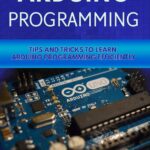
Handbook of Arduino: 100+ Arduino Projects – Learn by Doing with Practical Guides for Beginners and Inventors


Introduction
Arduino has transformed the way students, engineers, hobbyists, and inventors approach electronics. Instead of requiring a deep understanding of microcontrollers before building anything useful, Arduino provides an accessible platform where software and hardware can be combined almost immediately. 🔧⚡
The idea behind a “Handbook of Arduino: 100+ Arduino Projects – Learn by Doing with Practical Guides for Beginners and Inventors” is simple: learn electronics by creating things.
Rather than treating programming, sensors, circuits, and embedded systems as completely separate subjects, project-based Arduino learning connects them together. A beginner can start with an LED and gradually progress toward robots, environmental monitoring systems, automation devices, displays, communication systems, and IoT prototypes.


Arduino is particularly valuable because the same fundamental concepts can serve both beginners and professionals. A student may use a sensor to learn programming, while an engineer may use a similar sensor as part of an early prototype.
This article explores the theory, workflow, applications, project ideas, challenges, and practical techniques that make Arduino project-based learning effective. 🚀
Background Theory
What Arduino Actually Represents
Arduino is best understood as a combination of microcontroller hardware, software tools, libraries, and an open development ecosystem.
An Arduino board can read information from the physical world through sensors and then respond through outputs such as:
- 💡 LEDs
- 🔊 Buzzers
- ⚙️ Motors
- 📺 Displays
- 🔌 Relays
- 🌡️ Temperature sensors
- 📡 Wireless modules
- 🤖 Servo mechanisms
The microcontroller acts as the decision-making component.
For example, an environmental monitoring project might collect temperature information, process the readings, display the result, and activate a cooling mechanism when necessary.
The Learn-by-Doing Philosophy
Traditional electronics education often introduces theory first and practical work later. Arduino reverses much of this process.
A learner can:
Build → Test → Observe → Debug → Understand → Improve
This cycle creates an immediate connection between theoretical concepts and physical results.
Hardware Meets Software
An Arduino project normally contains two major layers:
Hardware:
The physical board, sensors, wires, resistors, motors, displays, and power components.
Software:
The program that tells the microcontroller what to read, calculate, remember, and control.
The most interesting projects happen when these two layers interact continuously. 🔄
Definition
What Is an Arduino Project?
An Arduino project is a hardware-software system in which an Arduino-compatible microcontroller performs a programmed task using electronic components.
A project might be extremely simple, such as an automatic night light, or considerably more advanced, such as a robotic vehicle controlled through wireless communication.
What Makes a Good Arduino Project?
A useful project generally contains four elements:
| Component | Purpose |
|---|---|
| Controller | Processes information and makes decisions |
| Input | Provides information from the environment |
| Program | Defines system behavior |
| Output | Produces a physical or digital response |
For example, a smart plant-monitoring system could use a moisture sensor as its input, Arduino as its controller, software as its decision mechanism, and an LED, display, or pump as its output.
Step-by-Step Arduino Project Workflow


Step 1: Define the Problem
Before connecting components, determine what the project should accomplish.
Instead of starting with:
“I want to use an Arduino.”
start with:
“I want to automatically detect room temperature and indicate when it becomes too high.”
This approach prevents unnecessary hardware and complicated code.
Step 2: Select the Arduino Board
Different projects require different capabilities.
Common choices include:
- 🔄 Arduino Uno for general-purpose learning
- Arduino Nano for compact projects
- Arduino Mega for projects requiring many connections
- Wi-Fi-capable Arduino-compatible boards for connected applications
For beginners, a basic board is usually sufficient for learning fundamental concepts.
Step 3: Identify Inputs and Outputs
Create a simple project map.
Input → Arduino → Output
For example:
Motion sensor → Arduino → Light
Or:
Temperature sensor → Arduino → Fan
This simple structure makes complex systems easier to understand.
Step 4: Build the Circuit
Start with a breadboard whenever possible.
A breadboard allows components to be connected without permanent soldering. It is particularly useful during experimentation because connections can be changed quickly.
Step 5: Write the Program
Arduino programming generally uses a simplified C/C++ environment.
A typical program contains initialization activities and continuously repeated activities.
The program might:
- Initialize a sensor.
- Read information.
- Evaluate a condition.
- Activate an output.
- Repeat the process.
Step 6: Upload and Test
Connect the board to a computer and upload the program.
Do not immediately assume that the system will work perfectly.
Testing is part of engineering.
Step 7: Debug Systematically
If the project fails, check one layer at a time:
Power → Wiring → Components → Pin configuration → Program logic → Communication
This method is much more effective than randomly changing code.
Step 8: Improve the Prototype
Once the basic version works, improve it.
Possible upgrades include:
- Better enclosure
- Additional sensors
- Wireless communication
- Battery operation
- LCD or OLED display
- Data logging
- Mobile connectivity
- Improved safety features
Comparison: Arduino Learning Levels
Beginner vs Intermediate vs Advanced Projects
| Level | Typical Projects | Main Skills |
|---|---|---|
| Beginner | LED, buzzer, button | Basic programming and wiring |
| Early Intermediate | Sensors, displays, servo systems | Data processing and control |
| Intermediate | Robots, automation | Multiple components |
| Advanced | IoT, wireless systems | Communication and system integration |
| Professional | Prototypes and embedded systems | Reliability, optimization, architecture |
Arduino vs Traditional Electronics Learning
Arduino does not eliminate electronics theory. Instead, it provides a practical environment in which theory can be applied.
| Arduino Approach | Traditional Early Approach |
|---|---|
| Immediate physical feedback | Often theory-first |
| Software + hardware together | Hardware may be studied separately |
| Rapid prototyping | More manual construction |
| Large library ecosystem | Greater low-level implementation |
| Easy experimentation | Can require more specialized equipment |
The two approaches are complementary rather than competitors.
100+ Project Ideas for Learning by Doing
A project handbook can cover a wide range of difficulty levels. Here is a structured project roadmap.
Beginner Electronics Projects
Start with projects such as:
- LED controller
- Traffic light simulator
- Push-button switch
- Digital dice
- Electronic reaction timer
- Buzzer alarm
- Light-sensitive lamp
- Simple temperature indicator
- Potentiometer-controlled LED
- Mini electronic piano
These projects teach fundamental concepts without overwhelming new learners.
Sensor Projects
Once basic input and output concepts are understood, introduce sensors:
- 🌡️ Temperature monitor
- 💧 Soil moisture detector
- 🌧️ Rain detector
- ☀️ Light intensity monitor
- 🚶 Motion detector
- 📏 Distance measurement system
- 🌬️ Air-quality prototype
- 🔥 Heat warning system
- 🪟 Door or window monitor
- 🏠 Environmental station
Display Projects
Displays introduce another important communication layer.
Possible projects include:
- Digital thermometer
- Countdown timer
- Mini weather station
- Sensor dashboard
- Digital clock
- Menu interface
- Status monitor
Robotics Projects
Arduino is especially popular in educational robotics.
Projects can include:
- Line-following robot
- Obstacle-avoidance vehicle
- Servo-controlled arm
- Remote-controlled robot
- Automatic gate
- Mini robotic vehicle
- Sensor-guided rover
Automation Projects
Automation projects demonstrate how Arduino can interact with everyday environments.
Examples include:
- Automatic lighting
- Smart ventilation
- Water-level monitoring
- Plant irrigation prototype
- Security alarm
- Garage-door prototype
- Energy-monitoring system
IoT and Communication Projects
Advanced learners can explore:
- Wireless sensor monitoring
- Remote environmental monitoring
- Web-connected sensors
- Bluetooth control
- Wi-Fi automation
- Cloud-based data collection
- Remote device dashboards
Diagrams and Practical System Architecture


Basic Control Architecture
A simple Arduino system can be visualized as:
Sensor/Input → Arduino Controller → Decision → Output/Actuator
This architecture appears repeatedly throughout electronics.
Smart Automation Architecture
A more advanced system may look like:
Sensors → Arduino → Local Processing → Communication Module → Network → Dashboard
This architecture introduces concepts found in professional engineering systems.
Example Project Classification Table
| Project | Input | Processing | Output |
|---|---|---|---|
| Smart lamp | Light sensor | Brightness decision | LED |
| Security alarm | Motion sensor | Event detection | Buzzer |
| Plant monitor | Moisture sensor | Moisture evaluation | Display/pump |
| Robot | Distance sensors | Navigation logic | Motors |
| Weather station | Environmental sensors | Data processing | Display/network |
Examples Without Equations or Mathematical Calculations
Example 1: Automatic Night Light
A light sensor measures the surrounding brightness.
When the environment becomes dark, Arduino activates an LED.
This small project introduces:
- Analog sensing
- Decision-making
- Output control
- Basic automation
Example 2: Smart Plant Monitor
A moisture sensor monitors soil conditions.
Arduino evaluates the sensor information and communicates the condition through an indicator or display.
An advanced version can activate a small pump when watering is required.
Example 3: Parking Assistance Prototype
A distance sensor detects an approaching object.
Arduino interprets the distance and provides increasingly noticeable feedback through LEDs or a buzzer.
The concept can later be expanded into automotive or industrial proximity systems.
Example 4: Mini Security System
A motion sensor detects activity.
Arduino responds by activating an alarm or displaying a warning.
An advanced version could add wireless notifications.
Real-World Applications
Industrial Automation
Arduino-class microcontrollers can be valuable during early-stage prototyping.
Engineers can test:
- Sensor arrangements
- Control logic
- User interfaces
- Communication concepts
- Automation sequences
For production environments, however, the final hardware may require industrial-grade controllers and components.
Education and Engineering Laboratories
Universities, colleges, schools, and technical training centers use Arduino-style platforms to teach:
- Embedded systems
- Programming
- Electronics
- Robotics
- Control systems
- Instrumentation
The physical feedback makes abstract programming concepts easier to understand.
Smart Home Development
Arduino prototypes can demonstrate:
🏠 Automated lighting
🌡️ Climate monitoring
🔐 Security systems
💧 Water management
⚡ Energy monitoring
Product Prototyping
Inventors can use Arduino to create an early proof of concept before developing a custom PCB.
This can significantly simplify experimentation.
Common Mistakes
Connecting Components Without Understanding Power
One of the most frequent beginner mistakes is connecting components without checking their electrical requirements.
Always verify:
- Voltage requirements
- Current requirements
- Ground connections
- Pin limitations
- Component polarity
Treating Every Pin as Identical
Microcontroller pins can have different capabilities.
Some support analog input, some provide PWM functionality, and some have communication functions.
Read the board documentation before assigning pins.
Building Everything at Once
Trying to construct a complicated robot with ten sensors and several communication modules on the first attempt can create unnecessary confusion.
Build incrementally.
Ignoring Wiring Quality
Loose breadboard connections can create symptoms that look like software errors.
Check physical connections before rewriting the entire program.
Copying Code Without Understanding It
Ready-made examples can accelerate learning, but blindly copying them limits understanding.
Change one feature at a time and observe what happens.
Challenges & Solutions
Challenge: The Project Does Not Respond
Solution: Check power, ground, wiring, pin numbers, and component orientation before debugging the software.
Challenge: Sensor Readings Are Unstable
Solution: Investigate electrical noise, sensor positioning, power quality, environmental interference, and software filtering.
Challenge: The Program Becomes Difficult to Manage
Solution: Divide the program into logical functions and give variables meaningful names.
Challenge: Too Many Components
Solution: Test each subsystem separately before integrating the complete design.
Challenge: The Prototype Works but Is Not Reliable
Solution: Move beyond the breadboard stage. Improve wiring, power regulation, mechanical construction, environmental protection, and software error handling.
Case Study: Building a Smart Plant Monitoring System
Project Objective
Imagine a student wants to build a system that helps prevent plants from drying out.
The initial system contains:
- Arduino board
- Soil moisture sensor
- Indicator LED
- Small display
- Optional water pump
Development Process
The first version only reads the moisture sensor.
The second version adds a visual indicator.
The third version adds a display.
The fourth version introduces automatic watering.
Finally, the student can add wireless monitoring.
Engineering Lessons
This project demonstrates an important professional principle:
Build the simplest working system first.
Instead of attempting the complete product immediately, the designer develops progressively more capable versions.
This approach makes troubleshooting easier and provides measurable progress at every stage.
Possible Professional Expansion
A more sophisticated version could eventually include:
- Multiple plant zones
- Water-level monitoring
- Battery management
- Weather information
- Remote notifications
- Historical data
- Automatic scheduling
A simple classroom project can therefore become a foundation for a much larger engineering system. 🌱🤖
Essential Tips for Arduino Beginners and Inventors
Start Small
Your first project does not need to be revolutionary.
A blinking LED teaches timing. A button teaches input. A sensor teaches measurement. A motor teaches actuation.
These fundamentals eventually become building blocks for advanced systems.
Follow a Progressive Roadmap
A useful learning sequence is:
LEDs → Buttons → Sensors → Displays → Motors → Communication → Automation → Robotics → IoT
Document Your Experiments
Keep notes about:
- Component names
- Pin assignments
- Wiring changes
- Software versions
- Problems encountered
- Successful solutions
Engineering documentation becomes increasingly important as projects become complex.
Separate Hardware and Software Problems
If a sensor does not work, determine whether the problem is electrical or software-related.
Testing components individually can save hours of debugging.
Design for Safety
When projects involve mains electricity, high-current motors, batteries, heating elements, or mechanical systems, use appropriate protection and professional electrical practices.
Arduino should control a safe interface rather than encourage unsafe experimentation.
Think Like an Engineer
Do not ask only:
“How can I make it work?”
Also ask:
“How can I make it reliable, maintainable, efficient, safe, and easy to understand?”
That mindset separates a temporary experiment from a professional engineering prototype.
FAQs
What is Arduino best used for?
Arduino is excellent for learning embedded programming, electronics, robotics, sensing, automation, and rapid prototyping. It is especially useful when a project needs interaction between software and physical components.
Is Arduino suitable for complete beginners?
Yes. Beginners can start with very simple projects involving LEDs and buttons before gradually progressing toward sensors, motors, displays, robotics, and communication systems.
Do I need advanced programming knowledge?
No. Basic programming concepts such as variables, conditions, functions, and loops are enough to begin. More advanced projects can gradually introduce additional programming techniques.
Can Arduino be used for professional engineering?
Yes, particularly for prototyping, education, experimentation, proof-of-concept development, and some specialized applications. Production equipment may require hardware designed specifically for industrial requirements.
How many projects should I build to learn Arduino?
There is no fixed number. Building progressively more challenging projects is generally more valuable than simply completing a large number of simple projects.
Can Arduino control motors?
Yes. Arduino can control many types of motors through suitable driver circuits or modules. The correct interface depends on the motor type and its electrical requirements.
Can Arduino projects connect to the Internet?
Arduino-compatible hardware can be combined with suitable networking technology to create connected systems. Such projects can send sensor data, receive commands, or interact with online services.
What should I build after learning the basics?
A good next step is a project combining several concepts—for example, a smart plant monitor, robotic vehicle, environmental station, security system, or automated lighting system.
Conclusion
The Handbook of Arduino: 100+ Arduino Projects – Learn by Doing with Practical Guides for Beginners and Inventors represents a project-oriented approach to engineering education: instead of learning every concept in isolation, learners discover electronics by building functioning systems.
Arduino provides an accessible bridge between software 💻, electronics 🔌, sensors 📡, mechanics ⚙️, and intelligent automation 🤖.
The most effective learning path is progressive. Begin with LEDs and buttons, move toward sensors and displays, then explore motors, robotics, communication, automation, and IoT.
The real value of an Arduino project is not simply whether the final circuit works. The deeper value lies in the engineering process:
Idea → Design → Build → Test → Debug → Improve → Innovate
🔄 For students, this process develops practical technical skills. For professionals, it provides a rapid prototyping environment. For inventors, it can transform an idea on paper into a physical proof of concept.
Ultimately, Arduino is more than a development board. It is a practical learning platform that encourages experimentation, problem-solving, creativity, and engineering thinking. 🚀
Build something small. Understand why it works. Improve it. Then build something bigger.