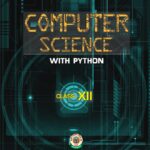
Computer Science with Python Class 12: Complete Guide for Students
Introduction
Computer Science with Python is more than just a subject in Class 12 CBSE — it’s a gateway into the world of technology, coding, and problem-solving. With industries depending on software and data-driven decisions, students who master programming early gain a huge edge in academics, careers, and personal projects.
Python, known for its beginner-friendly syntax and powerful libraries, makes the journey smooth. It allows students to focus on concepts rather than getting lost in complex syntax, which was a challenge with older languages like C++ or Java.
This complete guide explores the syllabus, coding examples, projects, exam strategies, challenges, FAQs, and future opportunities. Whether you are preparing for board exams, practicals, or competitive exams like JEE, CUET, and beyond, this resource will act as your handbook.
Background
Why Python for Class 12?
CBSE introduced Python to Class 11 and 12 Computer Science because:
-
It is widely used in AI, machine learning, data science, and web development.
-
Its syntax is close to English, making it intuitive for students.
-
It offers a huge ecosystem of libraries (NumPy, Pandas, Matplotlib) that can later be used for advanced projects.
Link Between Class 11 and 12
-
Class 11 introduces the basics: data types, loops, functions, and simple programs.
-
Class 12 deepens the foundation: data structures, file handling, SQL, computer networks, and the ethical use of technology.
Together, these two years build computational thinking and prepare students for both academics and real-world projects.
CBSE Class 12 Computer Science with Python Syllabus (Detailed)
The syllabus can be divided into six core modules. Let’s break them down with examples and applications.
1. Revision of Class 11 Concepts
-
Data types: int, float, string, boolean.
-
Control structures: if-else, loops.
-
Functions: user-defined and built-in.
-
Collections: lists, tuples, dictionaries, sets.
✅ Real-world use: Managing a to-do list app with dictionaries and lists.
2. Functions and File Handling
-
User-defined functions with parameters and return values.
-
Text file handling: reading and writing notes, logs.
-
Binary file handling: working with images or encrypted data.
-
CSV files: storing and analyzing structured data.
✅ Real-world use: Reading CSV files for stock market or weather analysis.
3. Data Structures
-
Stack (LIFO): Used in undo/redo functions.
-
Queue (FIFO): Used in printers, task scheduling.
-
Linked lists (intro): Used in memory management.
✅ Real-world use: Implementing messaging queues in chat applications.
4. Computer Networks
-
Types of networks: LAN, MAN, WAN.
-
Topologies: star, bus, ring.
-
Protocols: HTTP, FTP, SMTP, POP3.
-
IP addressing and DNS.
✅ Real-world use: Understanding how your home Wi-Fi connects you to Google.
5. Database Management System (DBMS)
-
Relational model concepts: tables, primary/foreign keys.
-
SQL operations: SELECT, UPDATE, DELETE, ALTER, JOIN.
-
Integration with Python: using SQLite/MySQL.
✅ Real-world use: Storing student records, e-commerce product catalogs, hospital data.
6. Society, Law, and Ethics
-
Cyber safety: phishing, malware, strong passwords.
-
Cyber laws: IT Act, digital evidence.
-
Intellectual property rights: software piracy, plagiarism.
-
Digital footprint: privacy and responsible use.
✅ Real-world use: Understanding why sharing personal data on social media can be risky.
Examples and Practical Applications
File Handling Example
📌 Application: Data transformation and backups.
Stack Implementation
📌 Application: Browser forward/backward navigation.
Queue Example
📌 Application: Print job scheduling.
SQL Example
📌 Application: Analyzing subject-wise performance.
Challenges Students Face and Solutions
1. Syntax Errors
-
Problem: Indentation and missing colons in Python.
-
Solution: Use auto-formatting tools like Black or IDEs like PyCharm.
2. Conceptual Gaps
-
Problem: Students memorize without understanding.
-
Solution: Practice debugging; explain your code line by line.
3. SQL Queries
-
Problem: Difficulty understanding joins and conditions.
-
Solution: Start with simple queries and visualize tables.
4. Exam Time Management
-
Problem: Running out of time in coding sections.
-
Solution: Practice writing clean, concise code.
Case Studies & Projects
1.Case Study 1: Student Management System
-
Features: Add, delete, update student data.
-
Tools: Python + SQLite.
-
Outcome: Practical exposure to DBMS.
2.Case Study 2: Library Management System
-
Store book details in a database.
-
Search books by title/author.
-
Track issued and returned books.
3.Case Study 3: COVID Data Analyzer
-
Use CSV files containing COVID case numbers.
-
Generate graphs using
matplotlib. -
Show state-wise trends.
Other Project Ideas
-
Expense tracker app.
-
Quiz application.
-
Simple chatbot with Python.
-
Password generator with encryption.
Tips for Scoring High in Class 12 Computer Science
1.During Preparation
-
Write code daily instead of just reading.
-
Maintain a handwritten formula sheet for SQL commands.
-
Summarize networking protocols in tables.
2.During Exams
-
Attempt theory questions first to secure marks.
-
Use comments in Python code to explain logic.
-
Revise your program for small mistakes before submission.
3.During Practicals
-
Keep your project simple but functional.
-
Prepare a 2–3 minute viva explanation for your project.
-
Ensure your code runs without external dependencies.
Career Scope After Class 12 Computer Science
Higher Studies
-
B.Tech in CSE/IT
-
B.Sc. in Data Science or AI
-
Integrated programs in computer applications
Career Options
-
Software Developer
-
Data Analyst
-
Cybersecurity Specialist
-
AI/ML Engineer
-
Database Administrator
Competitive Exams
Knowledge of Python and logic helps in:
-
JEE (for logical reasoning sections).
-
CUET (Computer Science subjects).
-
Olympiads and hackathons.
FAQs On Computer Science with Python Class 12
Q1. What is the weightage of theory vs practical in Class 12 Computer Science?
Theory: 70 marks, Practical: 30 marks.
Q2. Is Python enough for higher studies?
Yes. Python is a strong base; later you’ll learn C, Java, and other languages.
Q3. How do I prepare for the viva in practical exams?
Understand your project thoroughly: objectives, database structure, and code flow.
Q4. Should I focus more on coding or theory?
Both. Coding fetches marks in practicals, theory secures marks in exams.
Q5. Can I use Python libraries like Pandas in Class 12 projects?
Yes, but keep projects simple. Avoid overcomplicating with advanced libraries.
Conclusion
Class 12 Computer Science with Python is not just a subject — it’s a launchpad for your tech journey. With its balance of coding, databases, networking, and ethics, it equips students with both practical skills and theoretical grounding.
By focusing on concept clarity, regular coding practice, mini-projects, and exam strategy, you can score high in board exams and simultaneously prepare for higher education in tech.
🚀 Master it well, and you’ll be ready to step confidently into the digital future.